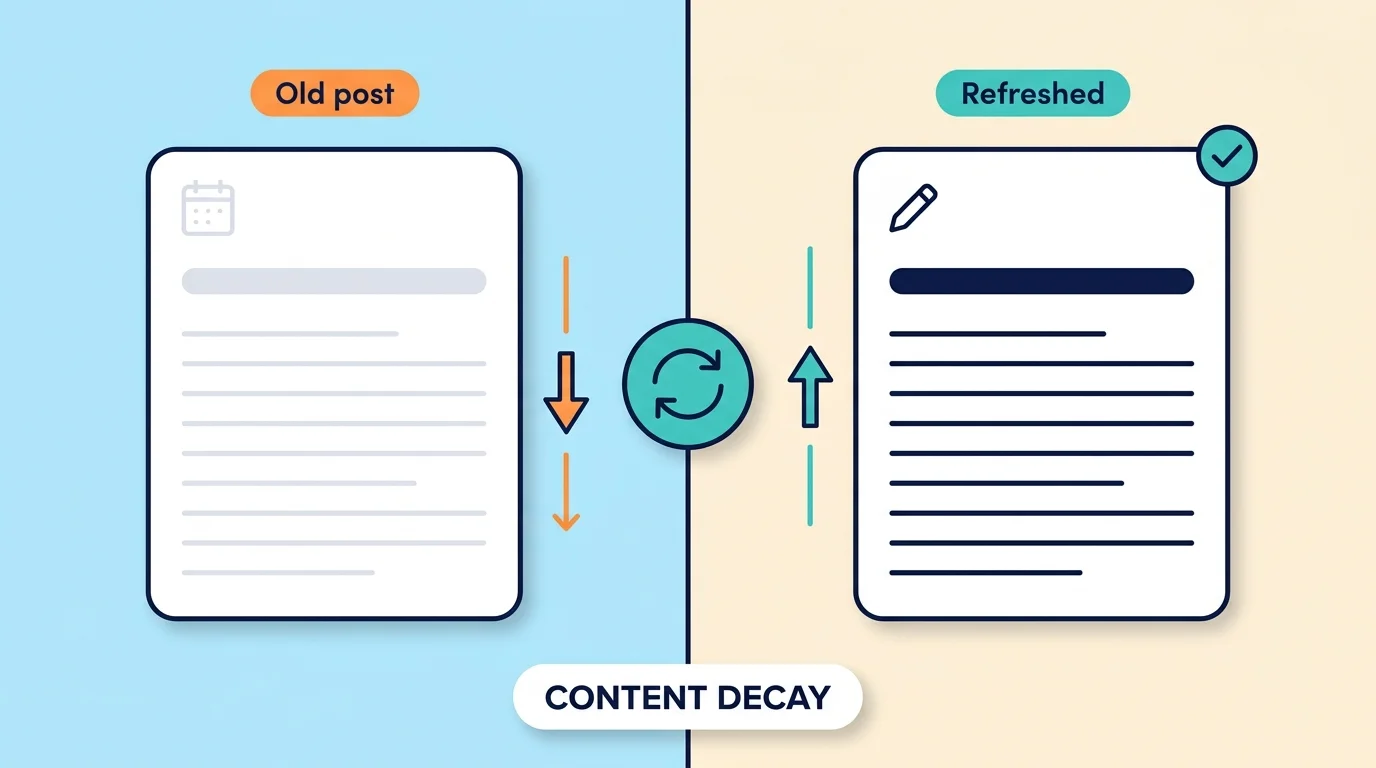
Old blog posts lose traffic for a few simple reasons: the information goes out of date, newer pages from other sites take their place, what people want from the search changes, the post gets buried on your own site, and more answers now appear right on the results page.
You can bring most of them back by finding which pages lost clicks in Google Search Console, checking why they dropped, and making a real improvement. This slow drop is often called content decay, and this guide gives you six common reasons and a six-step plan to fix it. Changing only the date does not work, and Google’s own guidance warns against it.
Why Do Pages Lose Traffic Even When Nothing Changed?
Here is the part that surprises most people. Your page did not change, but the world around it did.
Think of a shop on a busy street. The shop looks the same as last year, but three new shops opened next door, the street got quieter, and a big sign now points people somewhere else. Your shop did nothing wrong, and yet fewer people walk in.
A blog post works the same way. The facts inside it age. Other sites publish newer and fuller answers. Search results show more things above the links. And people change what they want to know. A post that was the best answer a year ago can quietly slip down the list without anyone touching it.
The 6 Common Reasons Old Posts Lose Traffic
The table shows each reason, what it looks like, and the first thing to try.
| Reason | What It Looks Like | What to Do |
|---|---|---|
| The information is out of date | Old years, prices, steps, or screenshots | Update the facts and remove what is no longer true |
| Newer, better pages appeared | Other sites answer more fully or more clearly | Improve your answer and add what they cover |
| What people want has changed | Top results now show a different kind of page, such as a short list instead of a long essay | Match the format that readers now choose |
| The post is buried on your site | Few or no links from other posts | Add links from newer, related posts |
| Interest in the topic dropped | Searches fall for everyone, or only at certain times of year | Check the season and the topic trend before changing anything |
| More answers show on the results page | Your ranking holds, but fewer people click | Add something a quick answer cannot give |
Two of these are worth a closer look. If your post is buried, our guide to finding and fixing orphan pages shows how pages with no links lose out. If clicks fall while your ranking holds, you may be seeing the effect we describe in our post on zero-click searches.
Not every drop is decay. Some topics rise and fall with the seasons, such as tax guides or holiday gift ideas. Always compare a month with the same month last year before you decide a post is declining.
How to Find the Posts That Need Help
You do not need to guess. Google Search Console, which is free, shows you exactly which pages lost clicks.
- Open Search Console and go to the search results report. This is the Performance section, under Search results.
- Compare two time periods. Use the date filter to compare the last three months with the three months before. For slow or seasonal topics, compare the last 12 months with the year before.
- Open the pages view and sort by the change in clicks. The biggest drops will show first.
- Check the average position for each big drop. If the position fell, other pages are now ranking above you. If the position stayed the same but clicks fell, fewer people are clicking, which points to more answers on the results page or less interest in the topic.
If your site is new, you may not have enough history yet. Start with posts that are at least a few months old, and keep this check for later.
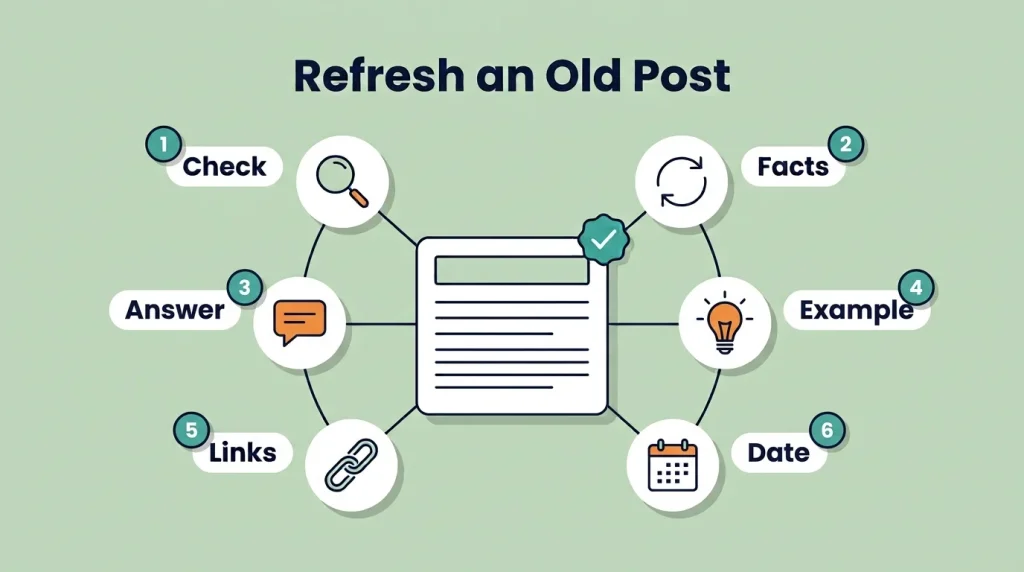
A 6-Step Plan to Refresh an Old Post
Not every post deserves a refresh. Start with ones that used to do well, still fit your topic, and show a clear drop. Then work through these steps.
- Search for the topic yourself. Type your main keyword into Google and look at the top results. Are they newer, longer, or a different kind of page? Note what they cover that you do not.
- Update the facts. Check every number, year, price, name, and link. Replace anything old, and remove anything that is no longer true. Fix links that lead to missing pages.
- Answer the question better and sooner. Put a clear answer in the first paragraph, then add the details, and finish with a short FAQ of the questions people ask most.
- Add something new and useful. A real example, a step-by-step method, a table, or a lesson from your own experience gives readers a reason to choose your page.
- Add internal links. Link to the post from newer posts on the same topic, and link from the post to related pages on your site.
- Update the date only if the changes are real. Then ask Google to look at the page again using the URL Inspection tool in Search Console. Give it a few weeks, then compare clicks again.
Should You Change the Date When You Update a Post?
Only when the update is real. If you rewrite sections, fix facts, and add new material, showing a new or “last updated” date is honest and helps readers know the page is current. Google’s own guidance on dates says it can make sense to give a substantially changed article a fresh date.
The problem is changing a date, or only the year in a title, when nothing else changed. Google’s helpful content guidance asks site owners directly whether they do this, and it also says that adding or deleting lots of content just to look fresh will not help rankings. Readers can tell, and so can search systems. The simple rule is to change the date only when you would be happy to explain what you changed.
Which Posts Should You Leave Alone?
A refresh takes time, so spend it where it pays off. These are the posts you can usually skip.
- Posts that still perform well. If clicks are steady, there is nothing to fix.
- Seasonal posts, outside their season. Update them a few weeks before the season starts, not in the middle of it.
- Posts that no longer fit your site. If a post is off topic and thin, merge its useful parts into a stronger post, or remove it if it does not help anyone.
Be careful with deleting. Do not remove posts only because they lost traffic. First check whether they can be improved.
Common Mistakes People Make
Most refresh attempts fail for the same few reasons.
- Changing only the date or the year in the title. This looks like an update but gives readers nothing new.
- Refreshing everything at once. You will not learn what worked. Start with a few posts and compare results.
- Not asking why the post dropped. If the reason is a changed search or a better competitor, adding more words will not help.
- Adding length instead of value. A longer post is not a better post. Better answers, clearer steps, and real examples matter more.
- Never checking the result. Look at the same posts again after a few weeks. Keep what worked and try something else where it did not.
- Deleting posts in a panic. Check first. A weak post can often be fixed or merged.
Frequently Asked Questions
What is content decay?
Content decay is the slow drop in search traffic a page gets over time. It happens when facts age, other pages improve, or what people want changes. It is normal, and most sites have it.
How often should I update old posts?
Check your posts every three to six months. Posts with prices, statistics, or fast-changing topics need more frequent checks, while posts that stay true for years may only need a yearly look.
Does changing the date help my rankings?
Not by itself. Google’s guidance asks whether you change dates on pages that have not substantially changed. Update the date only when the page has truly improved.
Should I delete old posts that get no traffic?
Not automatically. First check whether the post can be improved, merged into a stronger post, or removed because it no longer helps readers. Deleting posts only to make the site look fresh will not help.
How do I tell content decay from a seasonal drop?
Compare the same month with the same month last year. If the drop appears every year at that time, it is seasonal. If it keeps getting worse across the year, it is more likely decay.
Can a new website have content decay?
Yes, but it is harder to see because there is little traffic to measure. Even so, keeping facts, prices, and links current helps readers and shows that your site is looked after.
Pick One Post and Give It a Real Update
Open Search Console, compare the last three months with the three before, and note the one post that lost the most clicks. Spend an hour on it using the steps above.
One carefully improved post will teach you more about your readers than a dozen quick tweaks, and it gives you a method you can repeat on the next one.