




Most people assume building an app means hiring a developer, spending thousands of dollars, and waiting months to see something live. In 2026, that assumption is completely wrong.
The no-code market has reached $65 billion and is growing at 24% every year. According to Gartner, over 75% of new enterprise applications built in 2026 will use no-code or low-code technology, up from less than 25% just six years ago. By 2026, citizen developers outnumber professional developers 4 to 1. These are not projections anymore. This is already happening.
What changed everything is AI. Platforms like Glide, Bubble, Adalo, Softr, and Lovable now let you describe what you want in plain English and generate a working app in minutes. No drag-and-drop experience required. No technical background. No budget.
This guide covers exactly what free means in 2026, which tools actually let you publish without paying, and how the entire process works from your first idea to a live link you can share.
The word free gets thrown around a lot in the app-building world. Before you open any platform, you need to understand what free actually delivers and where the walls are.
Of the major AI app builders available today, only three out of seven actually let you publish a live app without entering a credit card. The rest are free trials dressed up as free plans. That distinction matters the moment a real user tries to open your link.
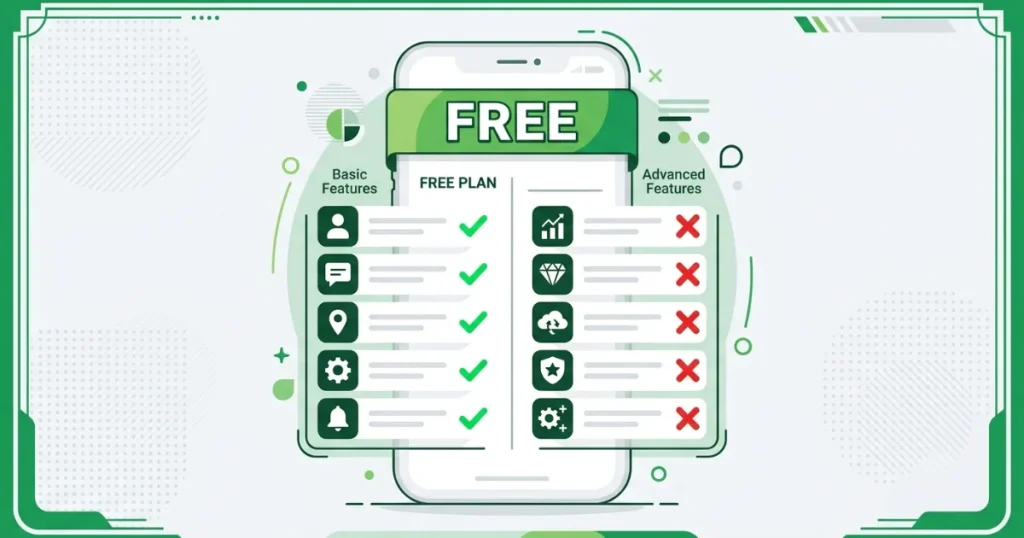
What free genuinely gives you:
What free does not include:
For a first app, this is not a problem. Free is more than enough to build something real, share it with actual users, and collect real feedback. Upgrading only makes sense once you know the idea works.
Understanding the scale of what is happening helps you take it seriously. This is not a niche trend. It is a structural shift in how software gets built.
These numbers tell one story: the technical barrier is gone. The only thing left is knowing which tool to use and how to start.
Not every platform is right for every project. Here is an honest breakdown of the six best options available right now, what each one does well, and where each one falls short.
Free plan: Publish one web app for up to 10 users
Best for: Turning existing Google Sheets or Airtable data into a working app fast
Glide has one genuine superpower: it transforms your existing spreadsheets into polished, professional-looking apps with almost no design work required. If your data already lives in Google Sheets, Airtable, or Excel, Glide can turn it into a functional app in under an hour.
Every app built on Glide comes out looking clean by default. The platform handles the design decisions for you, which is a real advantage if you have no design experience. The trade-off is that you have limited creative control over what you see in the template is roughly what you get.
Important limitation: Glide does not publish to the Apple App Store or Google Play. It creates web apps only. If your users need to find your app in an app store, Glide is not the right tool.
Free plan limits: 1 app, 10 users, 25,000 data rows on paid plans (not free)
Paid plans start at: $60/month
| What Glide Does Well | Where Glide Falls Short |
|---|---|
| Fast setup from spreadsheet data | No native app store publishing |
| Polished default design | Limited design customization |
| Great for internal tools | Per-user pricing gets expensive |
| No coding or database setup needed | Row limits on data |
Free plan: Build and test but no live deployment on free tier
Best for: Marketplaces, SaaS products, social platforms, anything complex
Bubble is the most powerful no-code platform available. If you are building something complex, a two-sided marketplace, a full SaaS product, or a social network, Bubble gives you the flexibility to make it happen. It has a plugin marketplace, a visual workflow builder, and a built-in database with full relational capabilities.
The honest trade-off is that Bubble has the steepest learning curve of any tool on this list. It rewards the time you put in, but it is not the right choice for a first app if you want to go live quickly.
Pricing warning: Bubble uses a “Workload Units” system that can lead to unpredictable bills as your app grows. Multiple users have reported unexpected charges when traffic spiked. Factor this in before choosing Bubble for anything you expect to scale.
Free plan limits: No live deployment, you can build and preview but not publish Paid plans start at: $29/month (basic), $69/month for web and mobile
| What Bubble Does Well | Where Bubble Falls Short |
|---|---|
| Maximum flexibility and power | Steep learning curve |
| Large plugin marketplace | Free plan has no live publishing |
| Complex logic and workflows | Unpredictable usage-based pricing |
| Strong community and tutorials | Mobile requires third-party wrappers |
Free plan: Build and test with up to 200 database records and shareable previews
Best for: Anyone who needs their app to appear in the Apple App Store or Google Play
Adalo is the only major no-code platform that publishes true native iOS and Android apps on every paid plan. One build goes to the web, the App Store, and Google Play simultaneously without needing a third-party converter or developer.
The platform is often described as “easy as PowerPoint” for visual building. It includes a built-in relational database, so you do not need to set up any external database service before you start. The AI feature called Magic Start generates your complete app foundation from a plain English description, including the database structure, screens, and user flows.
Free plan limits: Build and test only, 200-record database, shareable preview links
Paid plans start at: $36/month with unlimited users and no record caps
| What Adalo Does Well | Where Adalo Falls Short |
|---|---|
| Only platform with true native mobile publishing | Free plan is test-only, not live |
| Easy as PowerPoint for beginners | Less flexible than Bubble for complex web apps |
| Built-in database included | Smaller plugin ecosystem |
| AI Magic Start builds from descriptions | Design requires more manual effort than Glide |
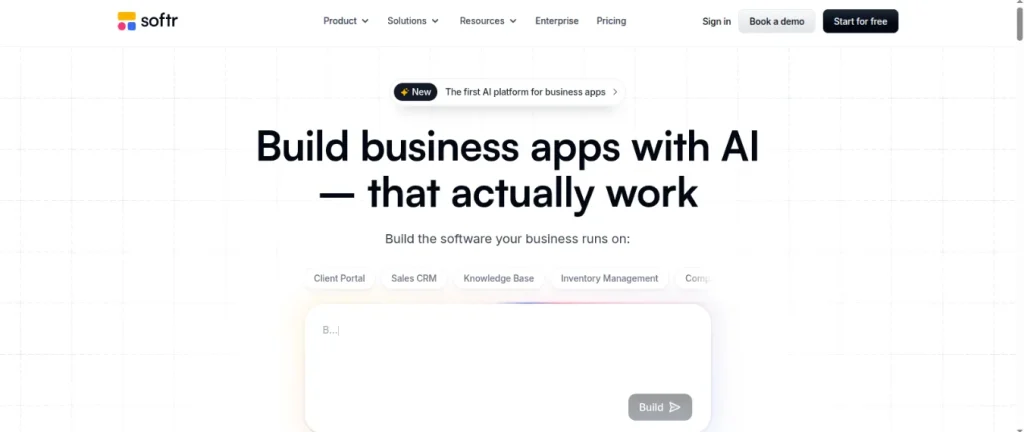
Free plan: Available but with significant limits on users and data
Best for: Business teams building client portals, CRMs, and internal dashboards from Airtable data
Softr sits between Glide and Bubble in terms of complexity. It is specifically designed for business teams who want to build internal tools and client portals without any technical knowledge. If your workflow is built around Airtable, Softr connects to it naturally and handles permissions and user roles well.
The main limitation is pricing for anything serious. Publishing a Progressive Web App requires a $167/month plan, which is significantly higher than competitors’. Softr also does not support native app store publishing.
Free plan limits: Limited users and records
Paid plans start at: $49/month, but PWA publishing requires $167/month
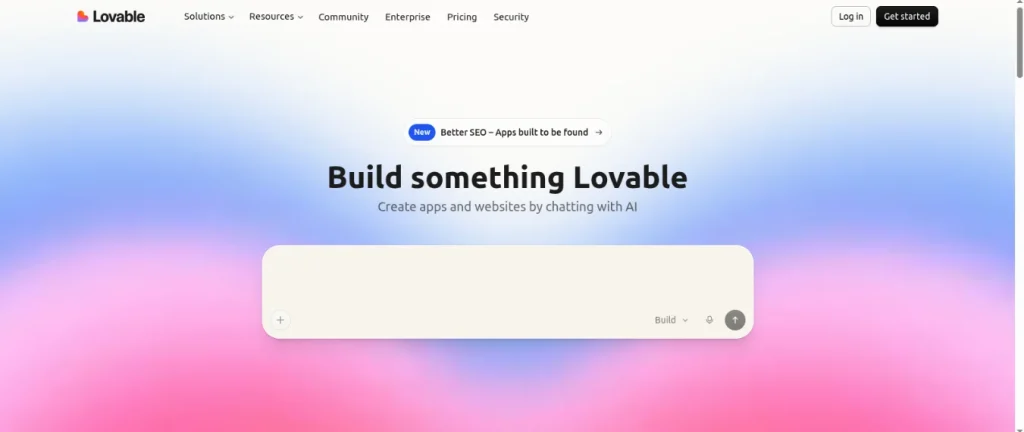
Free plan: Limited free credits to build and preview
Best for: Founders and makers who want a polished web app and want to own the code
Lovable has become one of the most talked-about AI app builders of 2026. You describe what you want, and the AI generates a complete, polished web app. What sets it apart is code ownership. Lovable exports your complete code to GitHub, meaning you are never locked into the platform.
If you outgrow Lovable or want to hand the project to a developer, you can. That exit option matters for anything with long-term strategic value.
Free plan limits: Limited credits are enough to experiment, but not ship a full product
Paid plans start at: $25/month
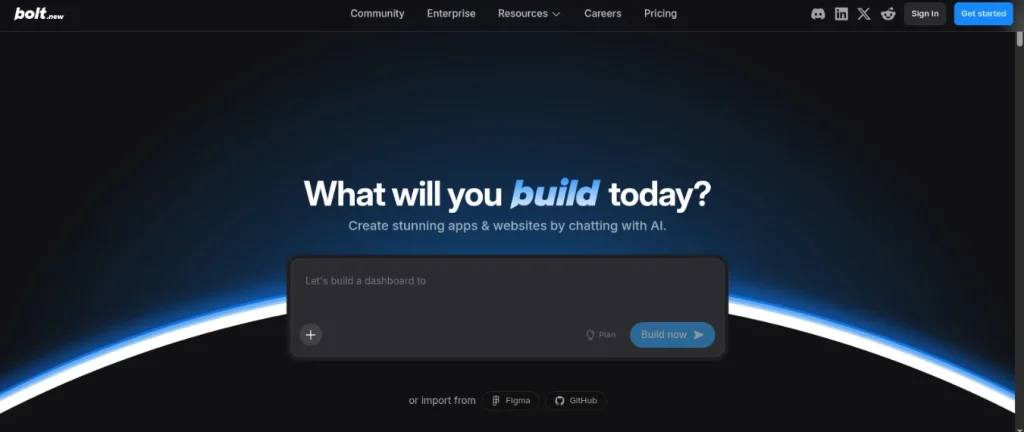
Free plan: Free tier with 1 million tokens per month
Best for: Getting from idea to deployed web app as fast as possible
Bolt runs entirely in the browser and generates code the moment you start typing your description. You can see the app taking shape in real time. It supports multiple frameworks including React and Next.js and deploys directly through Netlify.
One thing to know: free projects include a visible “Made in Bolt” badge. If that matters for your use case, factor it in.
Free plan limits: 1 million tokens/month with a 300,000 daily cap
Paid plans start at: $20/month
| Platform | Free Publishing | Best For | Mobile App Store | Paid Starts At |
|---|---|---|---|---|
| Glide | ✅ Yes (1 app, 10 users) | Spreadsheet apps | ❌ No | $60/month |
| Bubble | ❌ No live publishing | Complex web apps | ❌ No (wrapper only) | $29/month |
| Adalo | ❌ Test only | Native mobile apps | ✅ Yes | $36/month |
| Softr | ⚠️ Very limited | Client portals | ❌ No | $49/month |
| Lovable | ⚠️ Limited credits | Polished web apps | ❌ No | $25/month |
| Bolt | ✅ Yes (with badge) | Fast web apps | ❌ No | $20/month |
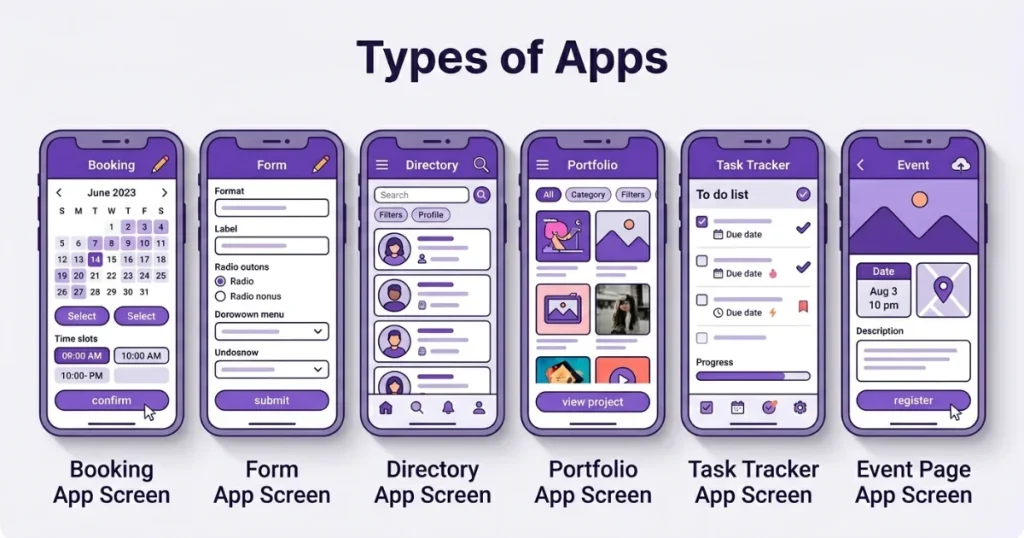
The type of app you choose matters as much as the platform you use. Here are the categories that work exceptionally well on free plans and are realistic for a first build:
Booking and appointment apps: A form where users pick a date, enter their details, and submit a request. Perfect for salons, tutors, photographers, consultants, and any service business. AI builds these in under an hour.
Client intake forms: A multi-step form that collects information from new clients, stores the responses, and sends you a notification. Replaces back-and-forth emails completely and looks far more professional.
Simple directories: A searchable, filterable list of items, people, resources, or businesses. Works well for local directories, supplier lists, or internal team tools.
Internal business tools: A simple tracker for inventory, daily tasks, employee check-ins, or logs. These are some of the most immediately useful apps you can build and they require very little complexity to get right.
Event and RSVP pages: A registration page where people sign up for an event, select options, and receive a confirmation. Works for workshops, meetups, and community events.
Portfolio and showcase apps: A visual app displaying your work, services, or products with a contact option. More interactive than a standard website and easier to update.
All of these are buildable for free in under two hours. They solve real problems immediately and get you real feedback from real users quickly, which is worth more than any amount of pre-launch planning.
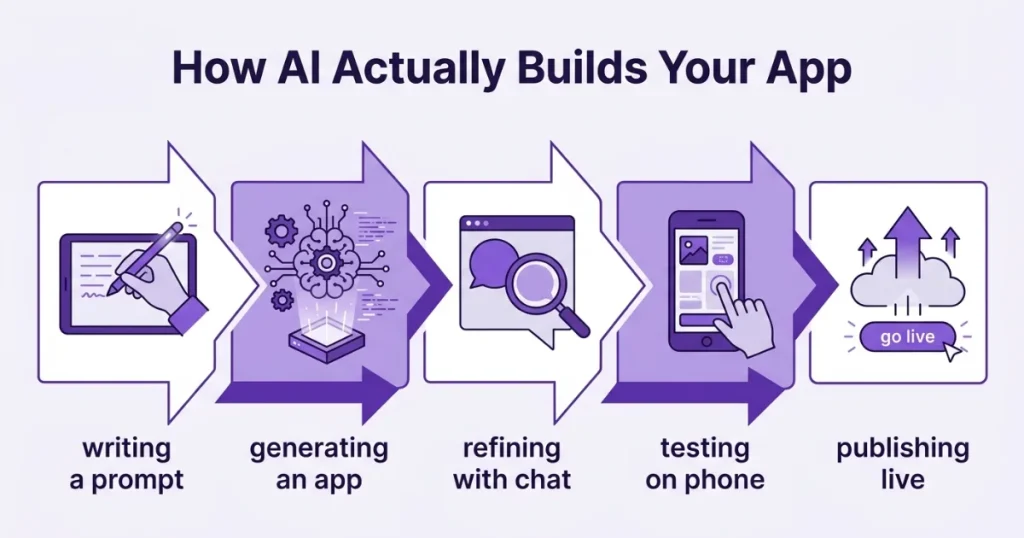
This part surprises most first-time builders. You do not drag elements around or write any code. You type what you want in plain English, and the AI generates the structure for you.
Step 1: Write a clear one-paragraph prompt Before you open any platform, write one paragraph describing your app. Include what it does, who uses it, and what the main action is.
A weak prompt: “I want a booking app.”
A strong prompt: “I want a booking app for my photography business. Clients should be able to pick a session type, choose a date and time, enter their name, email, and phone number, and submit the booking. I should receive an email notification with their details after each submission.”
The more specific your prompt, the better your first result. That paragraph becomes your starting point.
Step 2: Let the AI generate the first version Paste your prompt into the platform and let the AI build. It will generate the layout, fields, navigation, and basic logic. The first version will not be perfect. That is completely expected and not a reason to stop.
Step 3: Refine through conversation Improve the app by typing follow-up instructions the same way you would text a message to someone. “Move the date picker above the name field.” “Change the button color to dark green.” “Add a thank-you message after the form is submitted.” Each instruction updates the app in real time.
Step 4: Test as a real user before publishing Use the preview mode to go through your app as a first-time user would. Check every step of the main flow. Then share the preview link with one other person and ask them to try it without any explanation from you. Fresh eyes always catch things you have become blind to.
Step 5: Hit publish Every platform has a publish button. Press it. Your app gets a live URL immediately. Share it via link, QR code, or embed it on your existing website.
The entire process — from blank screen to live app — takes between one and three hours for a simple first app. AI handles the building. You handle the decisions.
Most guides stop at the publish button. Here is what actually comes next and what to do about it.
Share it with real users immediately. Do not wait until it is perfect. Send the link to five to ten people who match your target user. Real usage reveals problems that no amount of internal testing will catch on its own.
Expect to make changes. Your first version is a starting point, not a finished product. Real users will try things you did not anticipate and find gaps you did not notice. Go back into the builder and update through the same prompt conversation you used to create it.
Watch where users drop off. Most platforms show you basic usage data even on free plans. If users open the app but do not complete the main action, something in the flow is unclear or too long. Simplify it. One step at a time.
Decide when upgrading makes sense. Once you have real users and real feedback, you will know whether the app is worth paying for. Make that decision based on actual usage, hitting actual limits, not assumptions about what might happen.
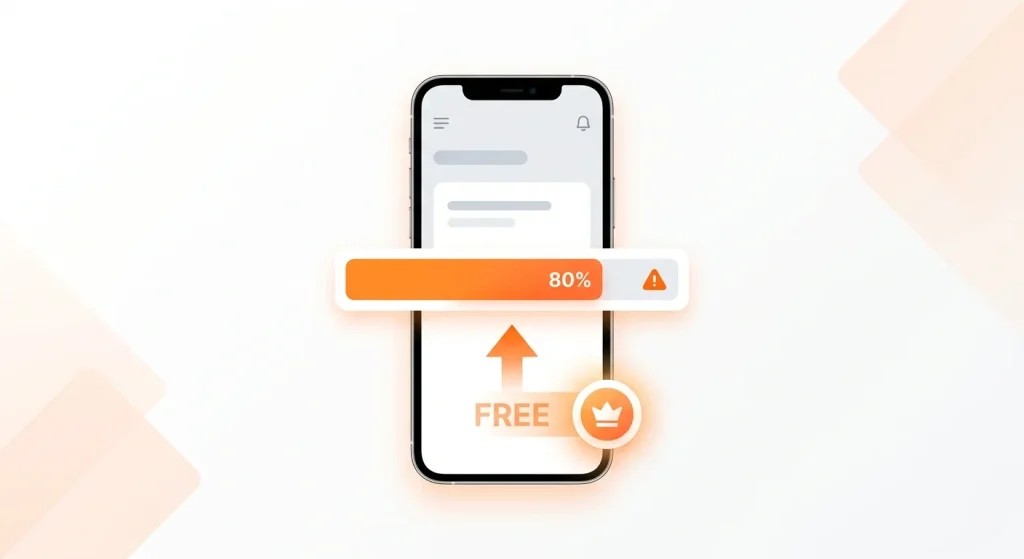
Free plans have real limits. Here is what running into them actually looks like and what the right response is.
You hit the user cap. If your free plan limits users and you are reaching that ceiling, it is a good sign. It means your app has real adoption. Upgrading at this point is completely justified because you have proof that the concept works.
You need a custom domain. Free plans give you a subdomain on the platform’s own URL. Once a real customer or investor sees “yourapp.bubble.io” instead of “yourapp.com,” you will feel the difference. Upgrading for a custom domain makes sense once the app is client-facing.
You want to charge users. Payment processing is almost never available on free plans. Add payments only after you have validated that users genuinely want what you are offering.
You need to publish to app stores. If your users need to find you in the App Store or Google Play, you will need to move to Adalo on a paid plan. That is when it becomes worth the investment.
The pattern to follow is always the same: build free, validate with real users, upgrade only when a specific limit is actively blocking real growth.
The gap between having an app idea and having a live app has never been smaller. AI has eliminated the technical barrier. Free plans have eliminated the financial barrier. What remains is simply making a decision and starting.
Your first app does not need to be perfect. It needs to be live, in front of real people, collecting real responses. Everything else can be improved from there.
Pick your idea. Write one paragraph describing it. Choose a platform from the list above that matches your use case. Hit publish.
That is the entire process. It costs nothing and takes an afternoon.
If you want to take things even further, you can use these same AI tools to detect issues in your digital environment, including learning how to spot AI-generated content before you act on it.
No. If you can describe what you want in plain English, you can build an app on any of the platforms listed above. The AI handles the technical work.
A simple booking form or intake app takes between one and three hours from blank screen to live link. More complex apps with multiple screens, logic, and user roles can take a full day of refinement.
Web-based apps built with AI app builders work in any mobile browser on both iPhone and Android without any app store approval. If you specifically want your app listed in the Apple App Store or Google Play, Adalo is the only major no-code platform that supports this on a standard paid plan.
On free plans, your app stays live as long as you remain within the platform’s free-tier limits. Always check each platform’s terms of service for data export options before committing.
Web-based apps built with AI app builders work in any mobile browser on both iPhone and Android without needing app store approval. Native mobile apps require additional steps for app store submission.
On free plans, your app stays live as long as the platform exists and you remain within free tier limits. Check each platform’s terms of service for specifics on data ownership and export options.
Yes, though it typically means rebuilding your screens since platforms use different architectures. Lovable is the best option if you want future flexibility, as it exports your complete code to GitHub, so you are never fully locked in.
The data suggests yes. The market is projected to grow from $65 billion in 2026 to $187 billion by 2030. Major enterprise adoption, continued AI investment, and the structural developer shortage all point toward long-term expansion, not contraction.Share
Glide lets you publish one web app for up to 10 users at no cost. Bolt publishes with a free tier but includes a visible platform badge. Most others, including Bubble and Adalo, require a paid plan to go live with a public URL.






Comments are off for this post.