To find out which parts of your job AI can automate, stop looking at your job title and look at your tasks. Write down everything you do in a normal week, then ask three questions about each task: does it repeat, does it follow clear rules, and does it live on a screen as words, numbers, or files? Tasks that pass all three are the ones AI can most likely take over or speed up. Tasks that need trust, judgment, physical presence, or care for people are much harder to hand over.
A 2023 McKinsey study estimated that today’s AI and related technology has the potential to automate activities that take up 60 to 70 percent of employees’ time, which is why the useful question is not whether AI will replace you, but which parts of your week it can already do.
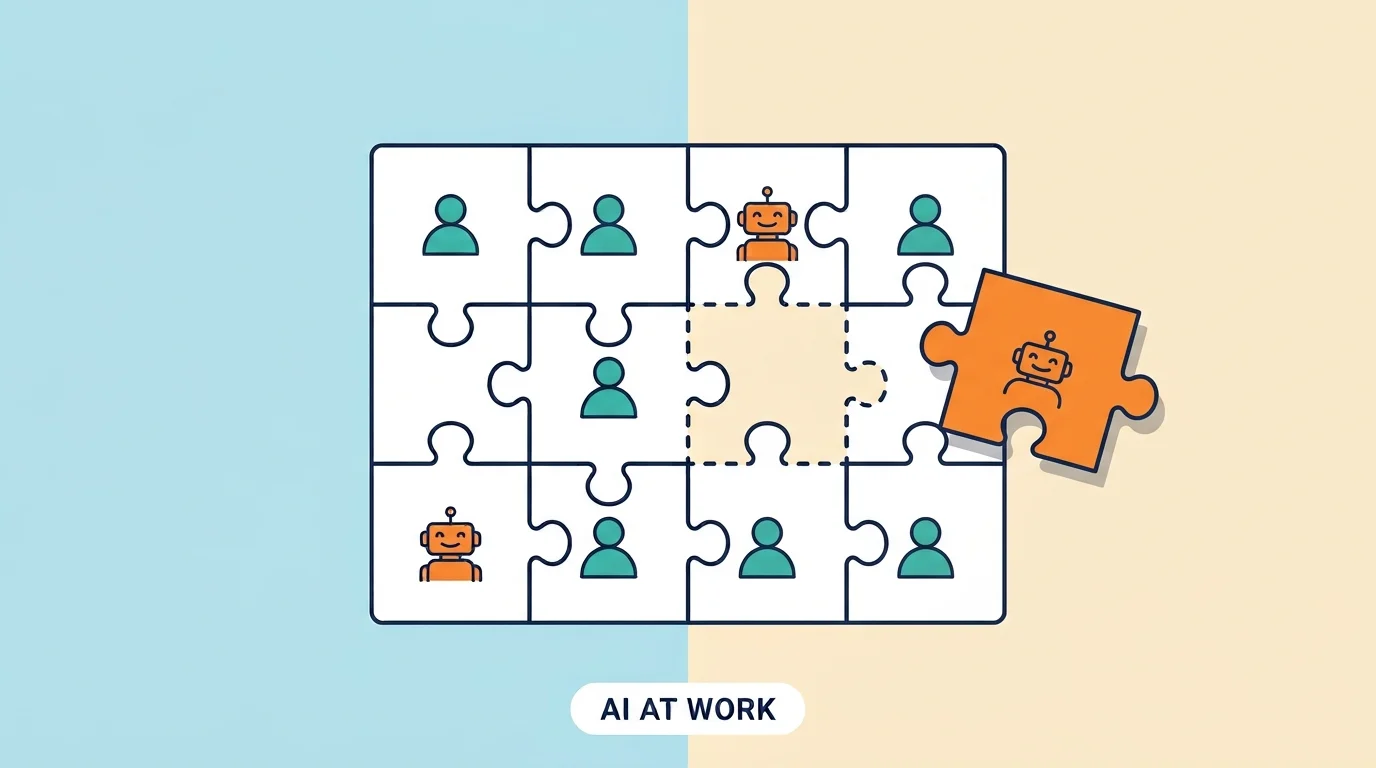
That sounds like a lot, but it does not mean 60 to 70 percent of jobs will disappear. Almost no job is made of one task. A job is a bundle of many tasks, and AI handles some of them much better than others. This guide gives you a simple five-step method to sort your own tasks, a worked example, and what to do with the results. You can finish the first pass in about one hour, and you do not need any technical skills.
Why Look at Tasks Instead of Job Titles?
Most worry about AI starts with the wrong question: will AI take my job? A job title is only a label. Inside it sits a bundle of tasks, and AI tools are built to do tasks, such as summarizing a long email, sorting a list, drafting a first version of a text, or translating a message.
Think of someone who works in customer support. Answering the same ten common questions all day is the kind of task AI can do well. Calming down an angry customer who is about to cancel, or deciding whether to make an exception on a refund, is much harder to hand over. It is the same job, but the tasks are very different.
This is why jobs usually change before they disappear. The task list shifts, the parts that repeat get smaller, and the parts that need judgment and trust get bigger. People who see this shift early have more time to adjust.
What the Research Says
Two large studies give a useful picture. Neither one is a promise about the future, but both show the direction.
| What We Know | The Numbers |
|---|---|
| Share of employee time that today’s AI and related technology could potentially automate | 60 to 70 percent (McKinsey, 2023) |
| Share of workers’ skills expected to be changed or outdated by 2030 | About 39 percent (World Economic Forum, 2025) |
| New jobs expected by 2030 | About 170 million |
| Jobs expected to be lost by 2030 | About 92 million |
| Net change in jobs | About 78 million more |
The word to notice in the McKinsey result is “potential”. It describes what is technically possible, not what companies will actually do. Cost, rules, trust, and the need for human checking slow things down in real workplaces. The World Economic Forum numbers come from a survey of more than 1,000 employers, so they are expectations, not facts.
Still, the two results point the same way. The tasks inside jobs are changing, new jobs are appearing, and many people will need to learn new skills along the way. Knowing which of your tasks are exposed is the first step to getting ready.
What Makes a Task Easy for AI to Take Over?
You do not need to understand how AI works to judge this. Ask these three simple questions about any task.
- Does it repeat? If you do roughly the same thing every day or every week, it is a good candidate.
- Does it follow clear rules? If you could explain it to a new coworker in a short checklist, AI can probably follow it too.
- Does it live on a screen? Tasks made of words, numbers, emails, spreadsheets, and files are the easiest for AI to reach.
Now look at what makes a task hard to hand over:
- It needs trust. People often want to hear difficult news or make big decisions with another person.
- It needs judgment in a new situation. If every case is different, a fixed checklist will not work.
- It needs you in the room. Work with hands, tools, or physical spaces is much harder to automate.
- It needs care. Comforting, teaching, and persuading people depend on real human connection.
- Someone must be responsible if it goes wrong. Even when AI can do the work, a person often has to check it and sign off.
A 5-Step Method You Can Finish in One Hour
Here is the full method. It works for any job, from office work to freelancing.
- List what you did last week. Open your calendar, your sent emails, and your notes. Write down every task you can find, from the big ones to the small ones. Aim for 15 to 30 tasks, and add roughly how many hours each one took.
- Group similar tasks. Put “answering emails”, “scheduling meetings”, and “writing reports” in their own groups so you can see where your time really goes.
- Score each task from 0 to 3. Give one point for each “yes” to the three questions above: repeats, follows clear rules, lives on a screen.
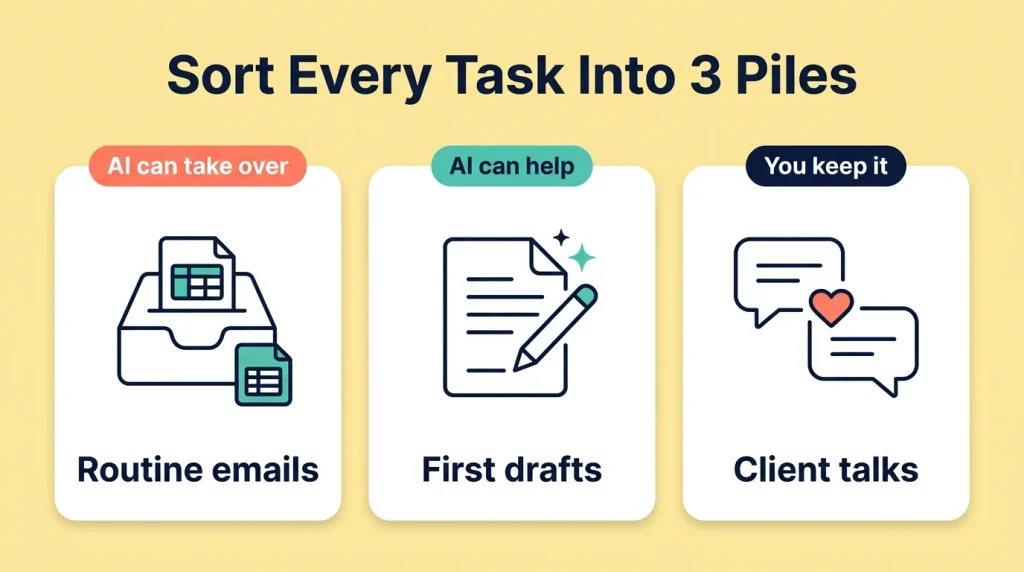
- Sort them into three piles. A score of 3 means AI can likely take it over. A score of 2 means AI can help with it. A score of 0 or 1 means you should keep it.
- Check what happens if it goes wrong. For every task in the first two piles, ask how bad a mistake would be. If it could cost money, hurt someone, or break a rule, a person still needs to check the result.
A Worked Example
Here is a made-up week for an office coordinator. The numbers are only an example to show how the method works.
| Task | Hours Per Week | Repeats? | Clear Rules? | On a Screen? | Result |
|---|---|---|---|---|---|
| Sorting and answering routine emails | 5 | Yes | Yes | Yes | AI can likely take over |
| Writing a weekly report from the same data | 3 | Yes | Yes | Yes | AI can likely take over |
| Drafting first versions of messages and posts | 4 | Mostly | Partly | Yes | AI can help |
| Planning and booking meetings | 2 | Yes | Mostly | Yes | AI can help |
| Handling an unhappy client | 2 | No | No | No | Keep it |
| Deciding the team’s priorities | 3 | No | No | Partly | Keep it |
Add it up and you get 19 hours. About 8 hours, or roughly four in ten, could mostly be handed to AI with a person checking the result. About 6 hours could be sped up with AI help. The remaining 5 hours are the ones that depend on trust and judgment. Nothing in this list says the job disappears. It says the week could look very different.
What to Do With Your Results
A sorted list is only useful if you act on it. Here is how to use each pile.
- Tasks AI can take over: Learn to use a tool for them and become the person who checks the output. Knowing how to review AI work is a skill in itself. If you want help picking where to learn, see our guide to the best online learning sites.
- Tasks AI can help with: Let AI write a first draft or a first sort, then add your own judgment and fixes. This usually saves time without losing quality.
- Tasks you keep: Spend more energy here. Clear communication, good judgment, and strong relationships are the skills that become more noticeable when routine work is automated. In the World Economic Forum survey, analytical thinking was the skill employers named most often, at 69 percent.
- The time you free up: Use it for work that grows your value, such as solving harder problems or helping more people. Tell your manager what you changed and what it saved.
To see how far this shift has already gone, read our post on 10 jobs AI agents are already doing without anyone noticing.
Common Mistakes People Make
Most people who try this exercise run into the same few problems.
- Asking if AI will replace the whole job. That question is too big to answer. Ask which tasks, and the answer becomes clear.
- Trusting AI output without checking. AI can sound sure and still be wrong. Always read the result before it goes out under your name.
- Judging tasks by their label. “Creative” or “technical” work is not automatically safe or doomed. Look at the actual task.
- Doing the exercise once. AI tools improve quickly. A list that was true six months ago may already be out of date.
- Keeping it secret. Sharing what you learned with your manager shows you are ready to adapt, which is a good place to be.
Frequently Asked Questions
Will AI replace my job?
It depends on how much of your job is made of repeatable, rule-based work on a screen. Most jobs will change, and some will shrink, but very few are made of only one kind of task. The best answer comes from sorting your own tasks.
How do I know if a task can be automated?
Ask three questions: does it repeat, does it follow clear rules, and does it live on a screen as words, numbers, or files? The more yes answers, the more likely AI can do it or help with it.
Which jobs are most exposed to AI?
Jobs with a lot of repetitive screen work, such as data entry, basic customer support, and scheduling, tend to change first. But even in these jobs, tasks that need judgment or care stay with people. It is more useful to check your own tasks than to rely on a job label.
Which skills are hardest for AI to replace?
No skill is completely safe, but skills that depend on trust, judgment, communication, and working with people in the real world are harder to automate. Employers in the World Economic Forum survey also named analytical thinking and flexibility as top skills.
Do I need to learn coding to work with AI?
No. Many AI tools now work with plain language, so you can start by giving clear instructions and checking the results. Coding can help in some jobs, but it is not required to begin.
How often should I repeat this exercise?
Every six months is a good rhythm. AI tools change fast, and your own job changes too, so a new check keeps your list up to date.
Write Down Your Week Today
Open your calendar and your sent emails from last week, and list your first ten tasks. That takes about 20 minutes, and it is enough to see a pattern.
Worry about AI usually gets smaller once you can see exactly which tasks it touches and which ones still need you. A list gives you something to work with, and that is a better place to start than a headline.