



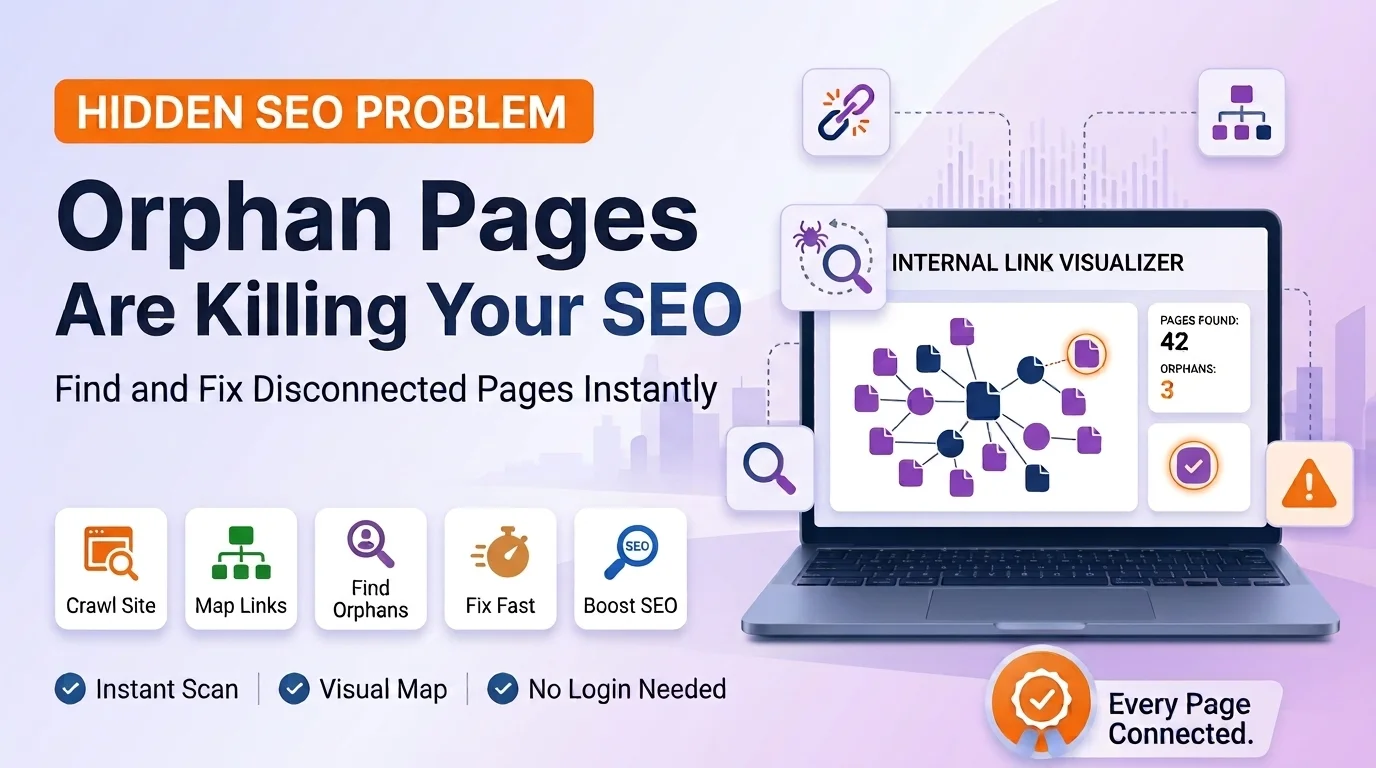
An orphan page is any page on your website that has no internal links pointing to it. That makes it nearly invisible to both search engines and real visitors, even though the page technically still exists and is still live on your site. You could have dozens of these hidden away without ever realizing it, quietly wasting the time and effort you put into creating them.
This is one of those SEO problems that rarely gets talked about, mostly because it is invisible by nature. Nothing looks broken. The page loads fine if you visit the exact web address directly. But without any links leading to it from the rest of your site, almost nobody, including Google, ever finds their way there naturally.
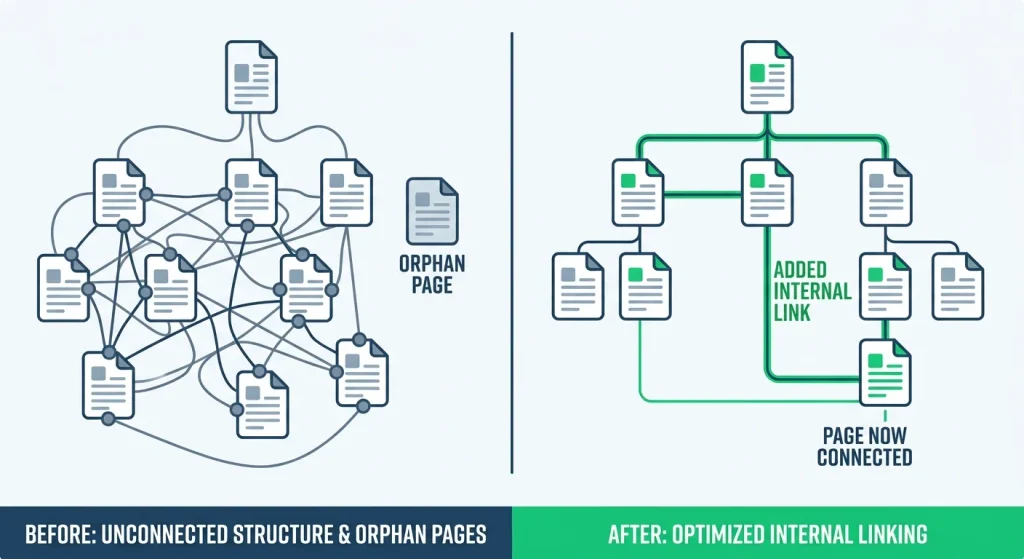
An orphan page is a page that exists on your website but has no internal links from any other page pointing to it. It is not broken, and it is not deleted. It simply has no path leading to it from your navigation menu, blog posts, or any other page on your site.
This is different from a 404 error page, which people run into when a page has been removed or moved without a proper redirect. An orphan page still works perfectly well if someone has the exact link, but there is no natural way for a visitor, or a search engine, to stumble across it while browsing your site normally.
Search engines like Google rely heavily on links between pages to discover new content and understand how important each page is. If a page has no internal links pointing to it, it becomes much harder for Google to find, and even if it does get discovered once through your sitemap, it may not get crawled or updated very often afterward.
Orphan pages create a quiet kind of damage that is easy to miss because nothing about them looks obviously wrong on the surface.
The first issue is lower rankings, even for genuinely good content. Search engines use internal links as one of the signals for deciding how important a page is. A page with no internal links looks unimportant by default, no matter how well written or useful it actually is.
The second issue is wasted content investment. If you spent real time and effort writing a detailed article or building a useful page, and it never gets found because nothing links to it, that effort essentially goes nowhere. It sits on your server, technically live, but practically invisible.
The third issue is a poor experience for your actual visitors. Even people who do find the page through a direct link or an old bookmark have no way to explore related content from there, since there is nothing connecting it back to the rest of your site.
The fourth issue is a confusing structure overall. A website with many orphan pages scattered around sends a mixed signal to both search engines and visitors about how the site is organized, which can make the whole site feel less trustworthy and less easy to navigate.
There is also a compounding effect worth mentioning. The longer an orphan page stays disconnected, the less often search engines bother returning to check on it, since crawlers naturally spend more of their attention on well connected pages that show clear signs of being part of an active, organized site. Over time, a neglected orphan page can fall further and further behind, even if the content itself never actually changes.
Orphan pages usually are not created on purpose. They tend to happen quietly over time, often for a few common reasons.
[IMAGE 2: Before and after graphic] Placement: Right after this section. Prompt: “Before and after style split illustration, left side shows a messy website structure with a disconnected page floating alone, right side shows the same structure with the page now connected via a new link line, clean infographic style, green accent color for the fixed side.” Alt text: “Before and after illustration of fixing an orphan page by adding internal links”
Manually checking every single page on your website to see whether anything links to it would take an enormous amount of time, especially on a site with dozens or hundreds of pages. This is exactly the kind of problem that is much easier to solve visually rather than by hand.
Our Internal Link Visualizer is built for exactly this. You simply enter your website, and it maps out how every page connects to every other page through internal links. Any page sitting off on its own, with no lines connecting it to the rest of your site, is an orphan page. Instead of digging through spreadsheets or crawler exports, you get a clear visual picture of your entire site structure in one place, making it obvious at a glance where the gaps are.
This approach tends to be much faster than manually cross referencing a full sitemap export, and it is far more approachable if you are not particularly technical or do not want to learn a more complex crawling tool.
It is also worth running this kind of check periodically rather than just once. Websites are living things. New pages get added, old campaigns end, and navigation menus get redesigned, all of which can quietly create new orphan pages even on a site that was fully connected the last time you checked.
Once you have identified an orphan page, fixing it is usually straightforward.
Fixing even a handful of orphan pages can noticeably improve how much of your existing content actually gets found, without having to write a single new article.
A 404 error means a page cannot be found at all, usually because it was deleted or moved without a redirect. An orphan page still works perfectly fine, it just has no internal links pointing to it from anywhere else on the site.
Checking every few months is a reasonable habit, especially after any redesign, big content update, or removal of old campaign pages, since those are the moments orphan pages tend to appear.
They mainly affect the individual page’s visibility rather than dragging down your entire site, but having many orphan pages scattered throughout can make your site feel less organized overall, which is not ideal for either visitors or search engines.
Sometimes, especially if the page was submitted through a sitemap. However, being indexed is not the same as being found easily or ranking well, since Google still relies on internal links to understand how important a page is relative to the rest of your site.
It varies by site, but reconnecting valuable content that was previously invisible often leads to a noticeable improvement over the following weeks, since search engines can finally crawl and evaluate the page properly as part of your site’s overall structure.
Most SEO problems are easy to spot once you know where to look, but orphan pages are the exception, they hide in plain sight, quietly costing you traffic without any obvious warning sign. As this article has shown, even a well built site can end up with valuable content sitting completely disconnected from the rest of its structure.
Stop guessing which pages might be sitting alone with no links pointing to them. Paste your website into the Internal Link Visualizer now and see your entire internal link structure mapped out clearly, so you can find and fix every orphan page in minutes instead of hours.



Comments are off for this post.