The fastest way to lower your AI cloud bill is to find out where the money goes, stop paying for machines nobody is using, pick the smallest AI model that does the job, and pay less for work that can wait. Most savings come from better habits, not from giving people less computing power.
A GPU is a special computer chip that handles the heavy math behind AI. Cloud companies rent GPUs by the hour, and they are some of the most expensive things you can rent. That is why a few forgotten machines can turn a normal bill into a shock.
The problem is growing. In its 2026 State of the Cloud Report, Flexera estimated that 29 percent of cloud spending on infrastructure and platform services is wasted. That is the first rise in five years, and Flexera links it to the surge in AI workloads. This guide gives you seven simple steps to bring that waste down without making anyone wait.
Key Takeaways
- Measure first: You cannot cut a cost you cannot see, so label every machine and check spending by project.
- Idle GPUs are the fastest saving: Turn them off when nobody is using them, and set them to shut down on their own.
- Smaller is often enough: A smaller machine or model can handle testing and simple jobs at a lower cost.
- Spare capacity is cheaper: It works only for jobs that can restart, so save progress often.
- Commit carefully: Long-term discounts make sense only for work you know will keep running for months.
- Set limits early: Add budgets and alerts before a project starts, not after the bill arrives.
Why Do AI Cloud Bills Grow So Fast?
AI work is expensive in a different way from a normal website or app. Six things cause most of the surprises.
- Idle machines: A GPU machine costs money every hour it is switched on, even if nobody is using it.
- Bursty use: AI work comes in spikes. In Flexera’s 2026 survey, 27 percent of respondents named unpredictable, bursty usage as their top challenge in managing AI costs.
- Oversized hardware: Teams pick the biggest GPU just in case, then never change it.
- Forgotten tests: Experiments and notebooks stay on after the work is done.
- Heavy models for simple jobs: Using the biggest AI model for a small task costs more every time.
- Side costs: Storage and moving data between regions or services add charges that are easy to miss.
The good news is that every one of these has a simple fix.
Step 1: See Where the Money Goes
Before you change anything, get a clear picture. Spend one hour on three small jobs.
- Add labels: Tag every GPU machine and AI service with a project name, an owner, and a purpose. Without labels, your bill is one big number that nobody owns.
- Check the last 30 days: Sort spending by project and find the top three.
- Book a weekly 15-minute check: AI spending moves fast. The FinOps Foundation advises checking AI forecasts weekly or monthly, tracking costs down to the GPU level, and setting budget limits for fast-moving projects.
If the word FinOps is new to you, read our guide on what FinOps is.
Step 2: Turn Off What Nobody Is Using
This is the fastest saving with the least risk of slowing anyone down, because nobody is using these machines anyway.
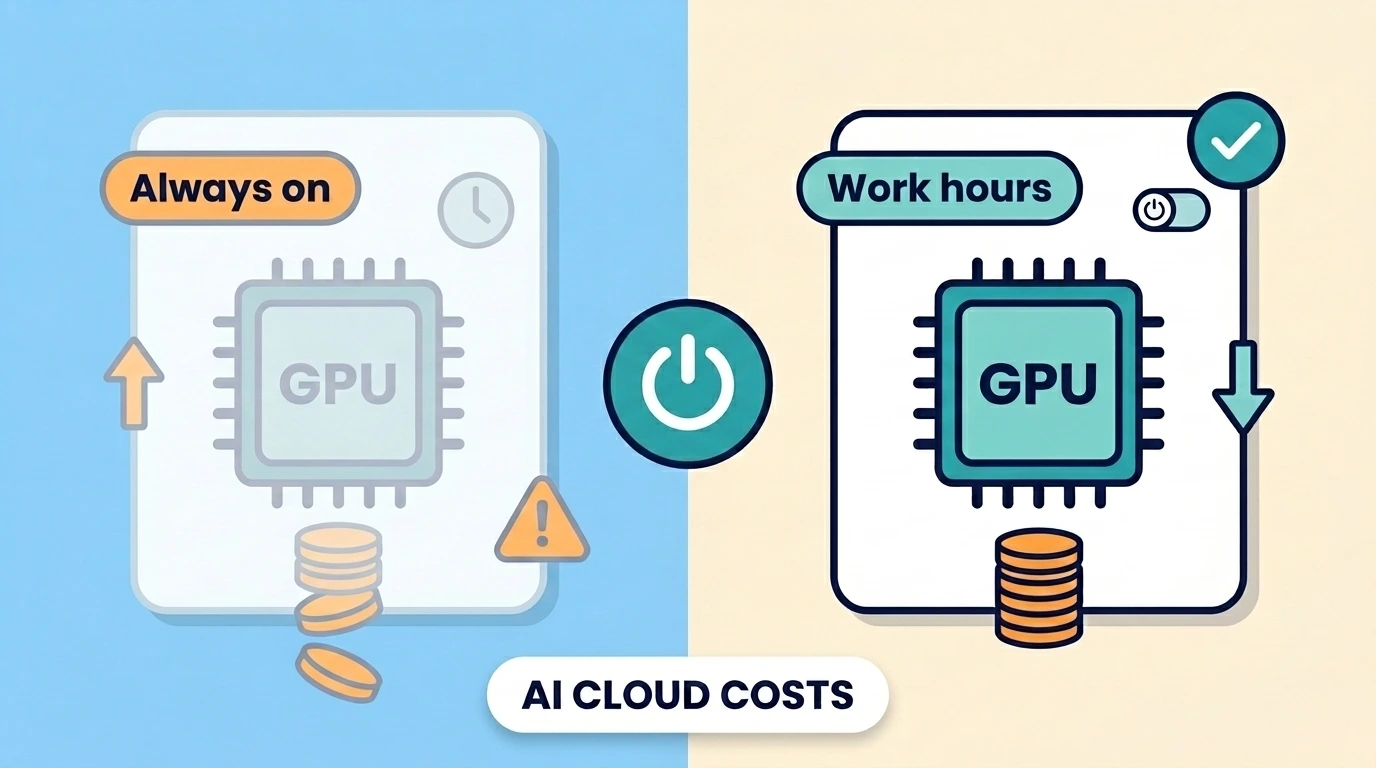
- Set machines to shut down on their own after a period of no activity, such as 30 to 60 minutes.
- Use schedules so development GPUs run only during work hours.
- Look for notebooks, test servers, and old experiments that are still running.
- Give every test project an end date when you create it.
If waiting for a machine to start is a worry, keep one small, cheap machine on for light work and start the GPU only when a heavy job begins.
A Simple Example
This example uses made-up prices to show the idea. Real prices vary by provider, region, and machine type.
Say one GPU machine costs $3 per hour. Left on all month, that is about 730 hours, or about $2,190. If the team uses it only during work hours, about 220 hours, the cost drops to about $660. That is roughly $1,530 saved on one machine, and nobody lost any working time.
Step 3: Match the Machine to the Job
There are two main kinds of AI work. Training means teaching a model, which needs a lot of power for a long time. Running means using a trained model to answer questions, which usually needs less. Many teams use the same big machine for both.
- Use smaller GPUs for testing and small experiments.
- Save the biggest machines for the final heavy jobs.
- Check how busy your GPU really is. If it sits idle during a job, the machine may be too big, or the job may be waiting on something slow, like loading data.
- Try the next size down and compare how long the job takes. If it finishes in about the same time, keep the cheaper machine.
This is often called right-sizing. It just means picking a machine that fits the work, not the biggest one on the list.
Step 4: Use the Smallest Model That Does the Job
Bigger AI models cost more to run, and many tasks do not need them.
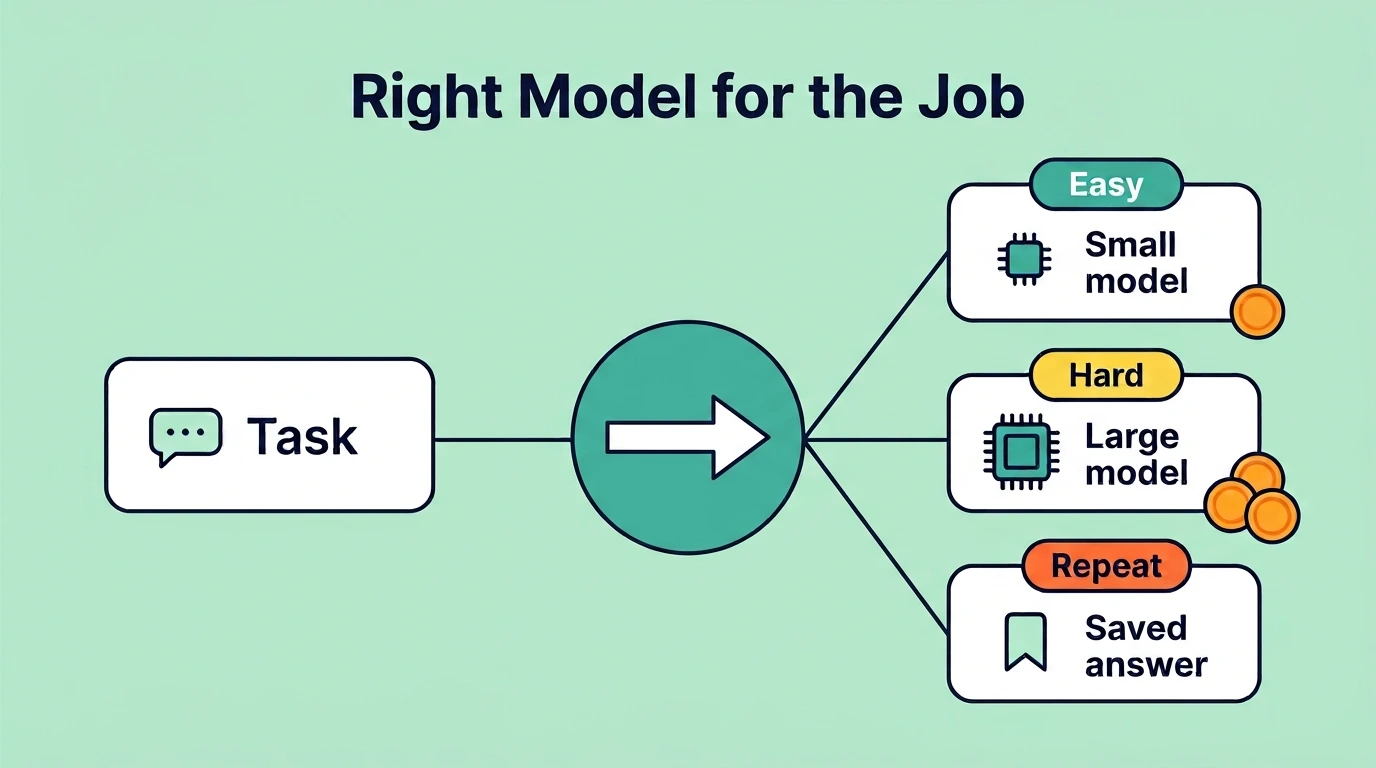
- Test a smaller model on your real tasks before assuming you need the biggest one.
- Shorten your prompts and limit the length of answers. Many AI services charge for the text going in and the text coming out.
- Save answers to questions that repeat, so you do not pay for the same answer twice.
- Send easy tasks to a small model and only hard tasks to a large one.
One warning: check quality before you switch. Try the smaller model on 20 to 50 real examples and compare the answers. A cheaper model that gives worse answers can cost you more in the end.
Step 5: Pay Less for Work That Can Wait
Cloud providers sell their spare machines at a big discount. This is often called spot or preemptible capacity. AWS says spot capacity can cost up to 90 percent less than regular on-demand prices, though real savings depend on the machine type and the time. Check your provider’s pricing page for current numbers.
There is one catch: the provider can take the machine back with short notice.
Good uses:
- Model training that saves its progress
- Overnight and batch jobs
- Data preparation
Poor uses:
- Live services that customers use
- Jobs that cannot restart
- Work with a tight deadline
To make it safe, set your jobs to save progress every few minutes. If the machine disappears, you lose a few minutes of work, not a whole day.
Step 6: Commit Only to What You Will Keep Using
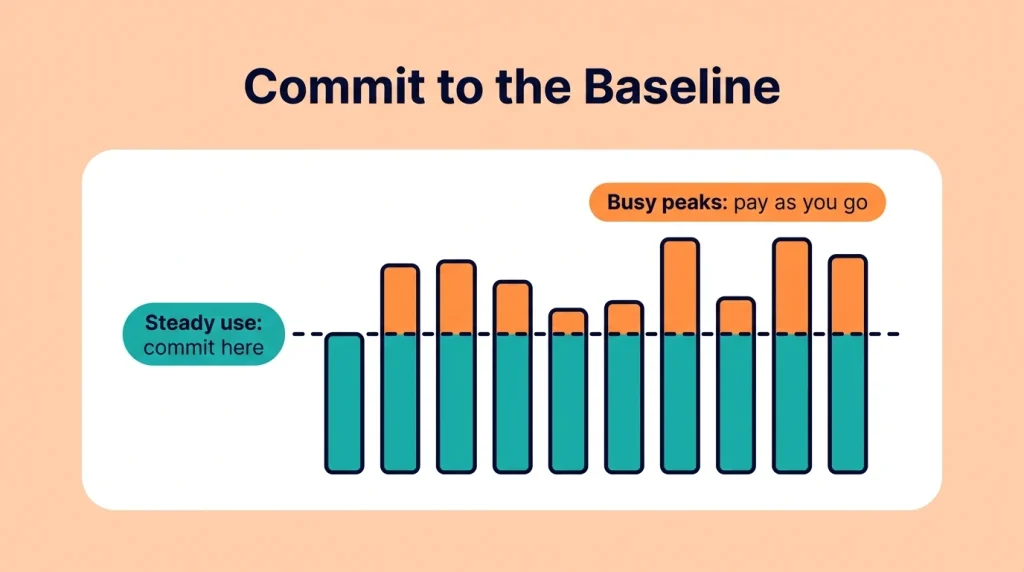
Providers offer lower prices if you promise to use a set amount for one or three years. These are called savings plans or reserved capacity. Flexera found that only 50 percent of organizations use any single commitment discount, so many teams leave savings on the table.
But AI work changes quickly, and a plan for GPUs you stop using is just another form of waste.
A safe rule: commit only to the steady baseline you have used for at least three months, not to the busy peaks. Start small and review every quarter.
Step 7: Set Limits Before Projects Start
The cheapest bill is the one you stop before it grows.
- Set budget alerts at 50, 80, and 100 percent of each project’s monthly budget.
- Give each project a spending limit.
- Add a quick approval step for very large GPU requests. A short message to the project owner is enough. It does not need a long process.
- Name one owner for each project’s bill.
Teams stay fast when the rules are simple and automatic.
How the Seven Steps Compare
| Step | Savings potential | Risk of slowing work | Effort |
|---|---|---|---|
| 1. See where the money goes | Helps every other step | None | Low |
| 2. Turn off idle machines | High | Very low | Low |
| 3. Match machine to job | Medium to high | Low if tested | Medium |
| 4. Use a smaller model | Medium to high | Low if tested | Medium |
| 5. Use spare capacity | High | Medium | Medium |
| 6. Commit to what you use | Medium | Very low | Low |
| 7. Set limits early | Medium | Very low | Low |
These ratings are general guidance, not exact numbers. Your results depend on your provider, your workload, and how much waste you have today.
A Simple 30-Day Plan
This week: Add labels, turn on automatic shutdown, and set budget alerts.
This month: Check how busy your GPUs are, test one smaller GPU for light jobs, and test one cheaper AI model on simple tasks.
Next quarter: Move jobs that can restart to spare capacity and consider one small commitment.
Common Mistakes to Avoid
- Cutting power before measuring: Without data, you may slow down the wrong team and still miss where most of the money goes.
- Committing too early: A one-year plan for GPUs you stop using still costs you for the whole year, so start small and review often.
- Using spare capacity for the wrong jobs: The provider can take the machine back with short notice, so jobs that cannot restart may lose hours of work.
- Switching models without testing: A cheaper model that gives worse answers can cost you more in the end, so check quality on real examples first.
- Ignoring storage and data transfer: These charges grow quietly in the background and are easy to miss until the bill arrives.
- Leaving the bill without an owner: If nobody owns the bill, nobody cuts it, so name one person for each project and review the total every week.
- Forgetting test projects: Old experiments keep running in the background, and small forgotten costs add up to a large bill over months.
Frequently Asked Questions
How can I reduce GPU costs in the cloud?
Start by turning off idle machines, then match the machine size to the job, use smaller AI models where they work, and move jobs that can restart to cheaper spare capacity. Add budget alerts so surprises are caught early.
Why are GPU cloud costs so high?
GPUs are powerful chips that are in high demand, and cloud providers charge by the hour. The bill keeps running even when the machine sits idle, which is why forgotten machines are so costly.
Is it safe to use spare or spot GPUs?
Yes, for the right jobs. The provider can take the machine back with short notice, so use it for work that saves its progress and can restart. Avoid it for live services and tight deadlines.
Do smaller AI models really save money?
Often yes, because they cost less to run for each answer. Test a smaller model on real examples first to make sure the quality is still good enough for your task.
How much can I save?
It depends on how much waste you have today. Flexera’s 2026 report estimates that 29 percent of cloud infrastructure and platform spending is wasted, but that number comes from what survey respondents estimated themselves, so treat it as a rough guide, not a promise.
Who should own AI cloud costs?
Each project needs one named owner, and someone should look at the total every week. Engineers and finance staff both help, which is the idea behind FinOps.
Start With One Change This Week
You do not need to fix everything at once. Pick one change from the plan above, such as turning on automatic shutdown, and do it this week. It catches the most common waste, takes only a few minutes to set up, and does not slow your team down.
Once that first change is in place, move on to the other steps one at a time. Test a smaller GPU for light jobs, test a cheaper AI model on simple tasks, and run jobs that can restart on cheaper spare capacity. Small changes add up, and your cloud bill goes down while your team keeps working.