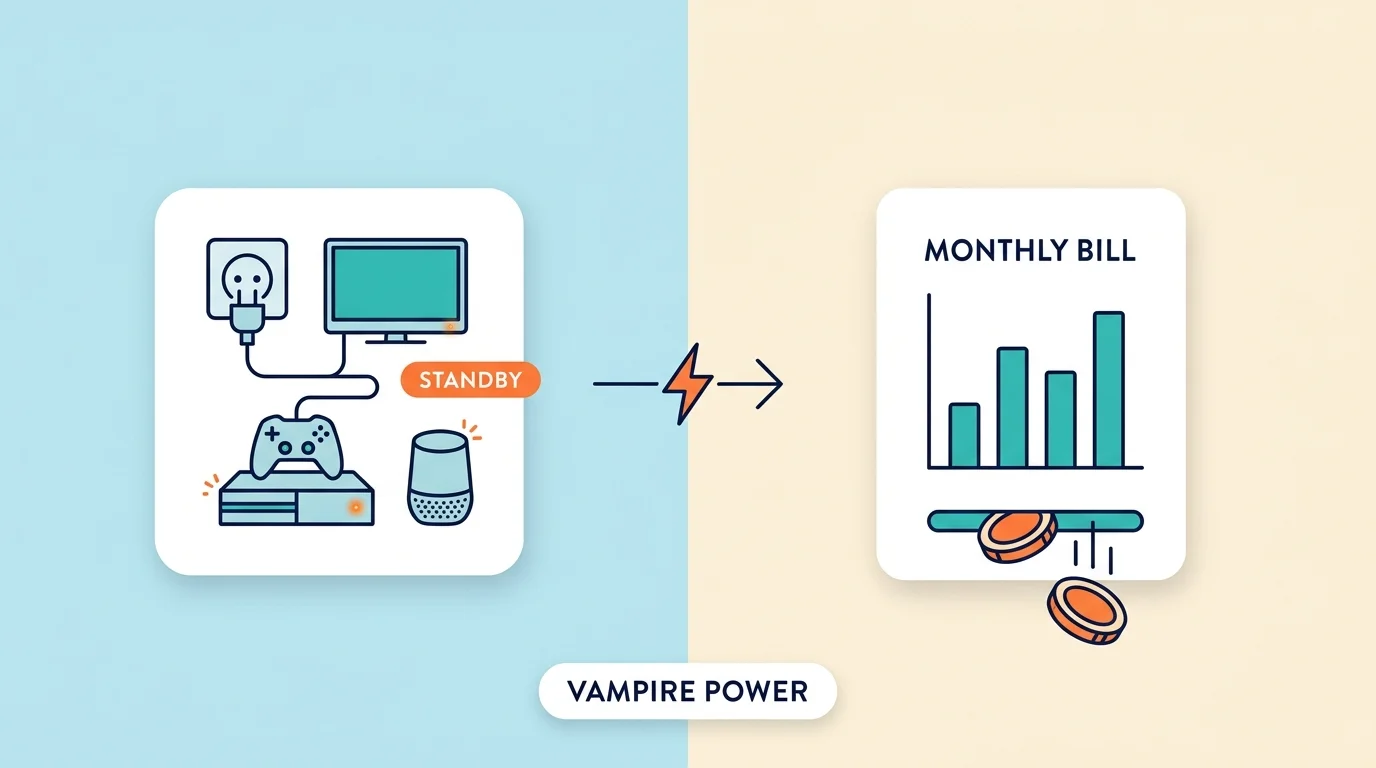
Vampire power, also called standby power, phantom power, or phantom load, is the electricity your devices keep using while they are switched off or sitting idle but still plugged in. In most homes it adds up to about 5 to 10 percent of the electric bill, and a 2015 study by the Natural Resources Defense Council (NRDC) estimated that the average US household loses around $165 a year to idle devices. The biggest wasters are usually cable and satellite boxes, game consoles left in instant-on mode, and older TVs and printers. One device costs very little. A whole house full of them does not.
The good news is that this is one of the easiest ways to lower your bill. You do not need to buy anything expensive or change how you live. You mostly need to know which devices waste the most and how to switch them off in one step. This guide explains it in plain words, shows what common devices cost to leave plugged in, and gives you a simple plan to reduce it this week.
Why Do Devices Use Power When They Are Off?
It happens because many devices never fully turn off. When you press the power button on a TV, it usually goes into standby. It stays ready to react to your remote, keep its clock running, or look for software updates. All of that takes a small amount of power, all day and all night.
Here are the devices that commonly do this:
- TVs, cable boxes, and streaming devices
- Game consoles, especially in instant-on or rest mode
- Computers, monitors, and printers
- Smart speakers and smart home hubs
- Microwaves, coffee makers, and ovens with clocks
- Chargers and power adapters left plugged in
- Anything with a remote control or a small light that stays on
Which Devices Waste the Most Electricity?
Not every device wastes the same amount. Some use less than one watt in standby, while others use more than ten. The table below shows typical figures and what they cost over a full year at $0.15 per kWh.
| Device in Standby | Typical Watts | Energy Per Year | Approx. Cost Per Year |
|---|---|---|---|
| Phone charger with no phone | 0.1 W | 0.9 kWh | $0.13 |
| Modern TV | 1 W | 8.8 kWh | $1.31 |
| Smart speaker | 2 W | 17.5 kWh | $2.63 |
| Desktop computer in sleep mode | 3 W | 26.3 kWh | $3.94 |
| Printer | 3 W | 26.3 kWh | $3.94 |
| Game console in instant-on mode | 10 W | 87.6 kWh | $13.14 |
| Cable or satellite box | 20 W | 175.2 kWh | $26.28 |
These are typical figures only. Real numbers change by brand, age, and settings, so treat them as a guide and not a promise.
Two things stand out. First, the small items like phone chargers cost almost nothing, so you do not need to worry about every plug in the house. Second, a few devices cost far more than the rest. A cable box and a console in instant-on mode can cost more than twenty phone chargers and TVs put together. That is where your time is best spent.
How Much Does Vampire Power Cost You?
You can work out the cost of any device with a simple formula:
Watts x 24 hours x 365 days / 1000 = kWh per year
Then multiply the kWh by the price you pay per kWh. You can find that price on your electricity bill.
Here is an example with a game console that uses 10 watts in instant-on mode:
- 10 x 24 x 365 / 1000 = 87.6 kWh per year
- 87.6 kWh x $0.15 = about $13.14 per year
Now think about a home with ten devices that each use an average of 5 watts while idle. That is 50 watts running all day, which comes to about 438 kWh a year, or roughly $65 at the same price. That is only an example, but it shows how small numbers add up when they never stop.
The national figures are bigger because millions of homes are involved. The NRDC estimate of about $165 per household is higher than this example because many homes have more always-on devices than people expect, including set-top boxes, consoles, and smart home gear.
Is All Standby Power a Waste?
No, and this is where many people go too far. Some devices need to stay on to do their job.
- Wi-Fi routers and modems: you need them for internet.
- Refrigerators and freezers: they must stay cold.
- Smoke detectors and security cameras: they protect your home.
- Medical devices: these should never be switched off without advice from a doctor or the maker.
The goal is not to unplug your whole house. The goal is to switch off devices that you do not use for hours at a time, such as a TV setup, a game console, a printer, or a desktop computer. That is where the waste is, and that is where the savings are.
How to Find the Devices That Waste Power
You do not need special skills to find vampire devices. Try these simple checks:
- Walk through each room at night. Look for small lights, clocks, and glowing buttons on devices that are “off”.
- Feel the adapters. A power adapter that feels warm when nothing is connected is using electricity.
- Use a plug-in watt meter. These inexpensive meters sit between the wall and your device and show exactly how many watts it uses in standby.
- Check late-night usage. If your utility has an app or you have a smart meter, look at your usage when everyone is asleep. The lowest level it reaches is your always-on baseline.
Start with the TV area, the desk or office area, and the kitchen. These three places hold most of the devices that waste power.
How to Cut Vampire Power in 7 Simple Steps
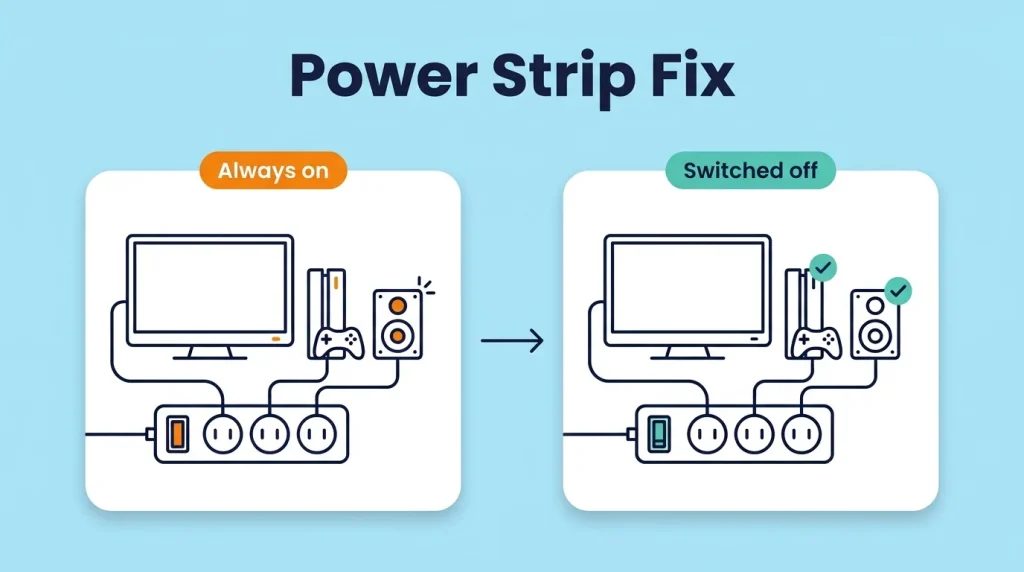
- Use a switchable power strip. Plug your TV, console, streaming box, and sound system into one strip. When you finish for the day, switch the strip off. One switch cuts power to everything on it.
- Turn off instant-on mode. Many game consoles and streaming devices have a “quick start” or “instant-on” setting. Switching to a full shutdown or an energy-saving mode can lower standby use a lot. The trade-off is a slightly slower start.
- Use timers or smart plugs with care. A timer can turn off a device at night and back on in the morning. Keep in mind that smart plugs use a little power themselves, so they make most sense for devices that waste more than a watt or two.
- Unplug chargers you are not using. Modern chargers use very little, but a drawer full of old adapters left in the wall adds up and some older ones use more.
- Set up computers and monitors to sleep or shut down. Change the power settings so the screen turns off after a few minutes and the computer sleeps after a short time. Turn off printers and speakers when you finish work.
- Choose efficient devices when you replace old ones. Look for the ENERGY STAR label when buying a new TV, printer, or computer. Newer devices usually use less power in standby than older ones.
- Make it a habit. Switch off your strips at bedtime and before you leave the house for a long time. A small routine you keep up beats a big plan you forget.
Common Mistakes People Make
Most people who try to cut standby power run into the same problems.
- Unplugging everything. Your router, fridge, and smoke detectors should stay on. Focus on devices you do not use for hours at a time.
- Buying expensive gadgets that cost more than they save. A power strip costs very little. A pile of smart devices may never pay for itself.
- Assuming “off” means off. Many devices are only in standby when you turn them off. If a light is still on, it is still using power.
- Ignoring the big ones. Saving a few cents on a phone charger while a cable box runs all year misses the point. Check the high-use devices first.
- Giving up because one device saves little. One device may save a few dollars. Ten devices, handled by habit, can save much more over a year.
Frequently Asked Questions
What is vampire power?
Vampire power is the electricity that plugged-in devices use when they are switched off or idle. It is also called standby power or phantom load. Devices use it to keep clocks running, respond to remotes, stay connected to a network, or start up faster.
Is phantom power the same as vampire power?
Yes, in home energy use they mean the same thing: electricity used by devices that are plugged in but turned off or idle. Phantom load and standby power are also used for it. Do not confuse it with phantom power in audio gear, which is a separate thing that powers microphones.
How much does vampire power cost per year?
It depends on your home and your electricity price. It is often estimated at about 5 to 10 percent of a home’s electricity use. The NRDC estimated about $165 per US household per year in a 2015 study, though your own number could be lower or higher depending on how many devices you have and how they are set up.
Does unplugging devices really save money?
Yes, but the savings depend on the device. Unplugging a cable box or a console in instant-on mode saves much more than unplugging a phone charger. A switchable power strip is the easiest way to do it for several devices at once.
Do phone chargers use power when nothing is connected?
Yes, but modern chargers use very little, often less than half a watt. Older chargers may use more. They are not the main problem, but it is a good habit to unplug ones you do not use.
Which devices use the most standby power?
Cable and satellite boxes, game consoles in instant-on mode, and older TVs, audio systems, and printers tend to use the most. Your best move is to measure with a plug-in watt meter, because models and settings differ.
Is it safe to leave devices plugged in?
In most cases, yes. Normal devices in good condition are designed to stay plugged in. Avoid overloading a single power strip, and unplug valuable electronics during storms or when you are away for a long time.
Your Next Step Is to Start With Three Devices
You do not have to fix the whole house today. Pick three devices you rarely use during the day, such as your TV setup, game console, and printer. Plug them into one switchable power strip and turn it off when you are done. Then check your next electricity bill.
Small steps like this are easy to keep up, and over a year they add up to real savings.