Amazon Web Services offers hundreds of cloud products with different pricing models, regions, usage limits, and discount options. This flexibility is useful, but it can also make AWS pricing difficult to understand.
An AWS bill may include charges for computing power, storage, database usage, serverless requests, content delivery, data transfer, monitoring, and other supporting services. Missing even one cost can make your final bill higher than expected.
An AWS cost calculator helps you estimate these expenses before launching a website, application, database, or cloud project. However, every calculator is designed for a different type of user. Some are suitable for complete cloud architectures, while others are better for quick estimates, Terraform projects, or comparisons between cloud providers.
We reviewed five popular tools based on ease of use, supported services, pricing options, reporting features, and the type of user each tool serves.
Which AWS Calculator Is Best?
The official AWS Pricing Calculator is the best choice for detailed and complex AWS environments. It supports a wide range of AWS services and can create estimates for workloads, applications, resources, commitments, and architecture changes.
For users who need a faster and simpler option, the Mavensum AWS Cost Calculator is a practical alternative. It focuses on frequently used services such as EC2, S3, RDS, Lambda, CloudFront, data transfer, EKS, and Fargate.
Here is our ranking:
| Rank | Calculator | Best for | Signup required |
| 1 | AWS Pricing Calculator | Detailed AWS architecture estimates | Not always |
| 2 | Mavensum AWS Cost Calculator | Quick and simple monthly estimates | No |
| 3 | Holori Cloud Calculator | Comparing regions and cloud providers | No |
| 4 | Infracost | Terraform and Infrastructure-as-Code projects | Depends on use |
| 5 | Economize AWS Calculator | Basic AWS and Savings Plan estimates | No for calculator |
Disclosure: The Mavensum AWS Cost Calculator is our own tool. We included it because it provides a useful option for readers who want to estimate common AWS services without working through a complex setup. We evaluated it using the same general criteria applied to the other tools in this guide.
How We Selected the Best AWS Cost Calculators
We did not rank the tools only by the number of services they support. A calculator with hundreds of configuration fields may be powerful, but it may not be the right choice for a beginner who only needs a quick monthly estimate.
We considered the following factors:
- Number and type of AWS services supported
- Ease of entering expected usage
- Support for AWS regions
- Monthly and annual cost estimates
- On-Demand, Reserved Instance, Spot, and Savings Plan options
- Exporting or sharing an estimate
- Suitability for beginners and technical teams
- Ability to compare pricing scenarios
- Transparency about costs that may not be included
No calculator can guarantee the exact amount of a future AWS bill. Your actual charges may change based on usage, taxes, discounts, support plans, negotiated agreements, and services that were not added to the estimate.
The best approach is to use an AWS cost estimation tool for planning and then confirm important figures on the official AWS pricing pages before deploying a production environment.
AWS Pricing Calculator: Best Overall
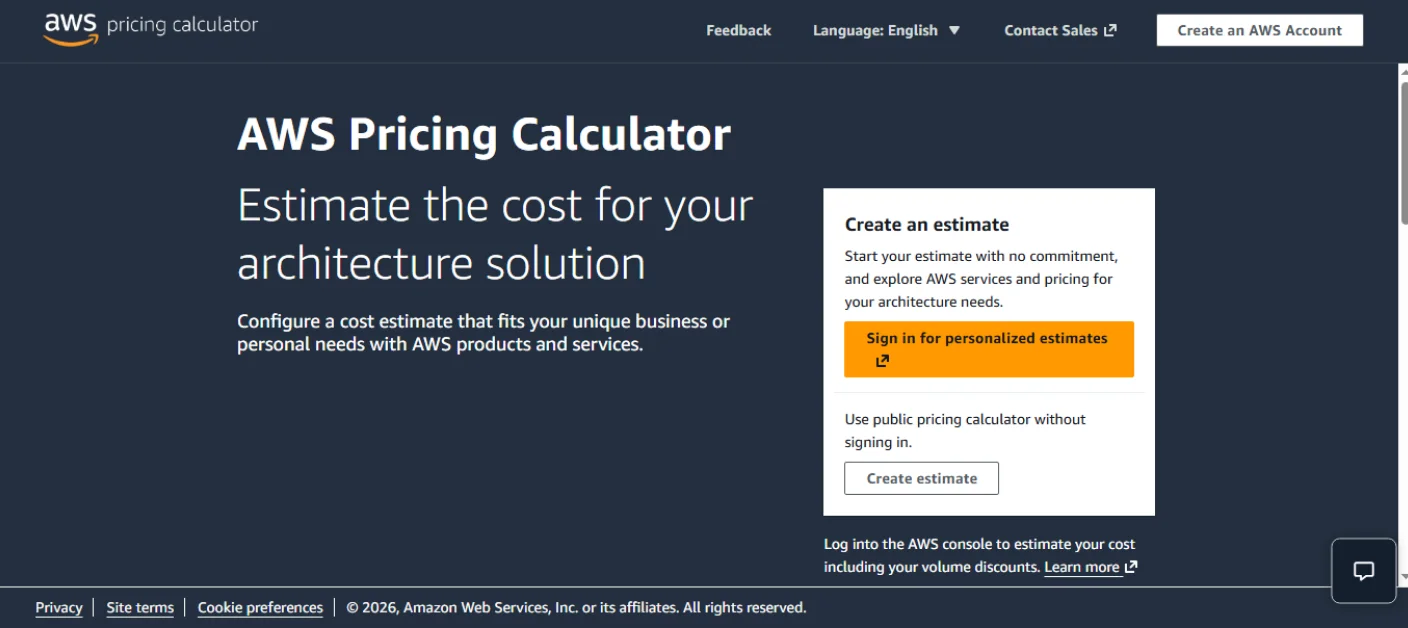
The official AWS Pricing Calculator is the most complete option for businesses, architects, developers, and cloud teams that need detailed estimates.
AWS describes it as a free planning tool that can model solutions before they are built, explore service pricing, review the calculations behind estimates, plan spending, and identify possible savings. It can organize services into groups, create shareable estimates, and export estimates for reporting.
Main features
- Official pricing information from AWS
- Support for a large selection of AWS products
- Workload and architecture estimates
- Service groups for organizing large estimates
- Monthly, annual, and upfront cost views
- Support for discounts and purchase commitments
- Importing historical usage for eligible signed-in users
- Sharing estimates with other users
- CSV, JSON, or other supported export options depending on the calculator experience
- API access for programmatic cost planning
AWS has expanded its calculator capabilities beyond basic public estimates. Signed-in customers can model changes to historical usage, include existing discounts and commitments, and estimate the cost impact of changes across workloads.
Why it ranks first
The official calculator is the strongest choice when accuracy and service coverage are more important than speed. It is particularly useful when your setup contains multiple databases, networking products, storage classes, load balancers, serverless services, or different purchasing commitments.
It is also the safest starting point for large business projects because the pricing information comes directly from AWS.
Limitations
The large number of services and settings can feel difficult for new AWS users. Building a detailed estimate may require knowledge of instance types, expected requests, storage operations, data transfer patterns, and regional pricing.
A user who only wants to estimate one EC2 server and a small database may find the process longer than necessary.
Best for
- Cloud architects
- Enterprise projects
- Detailed production environments
- Multi-service applications
- Teams comparing commitment options
Mavensum AWS Cost Calculator: Fast and Simple Estimates
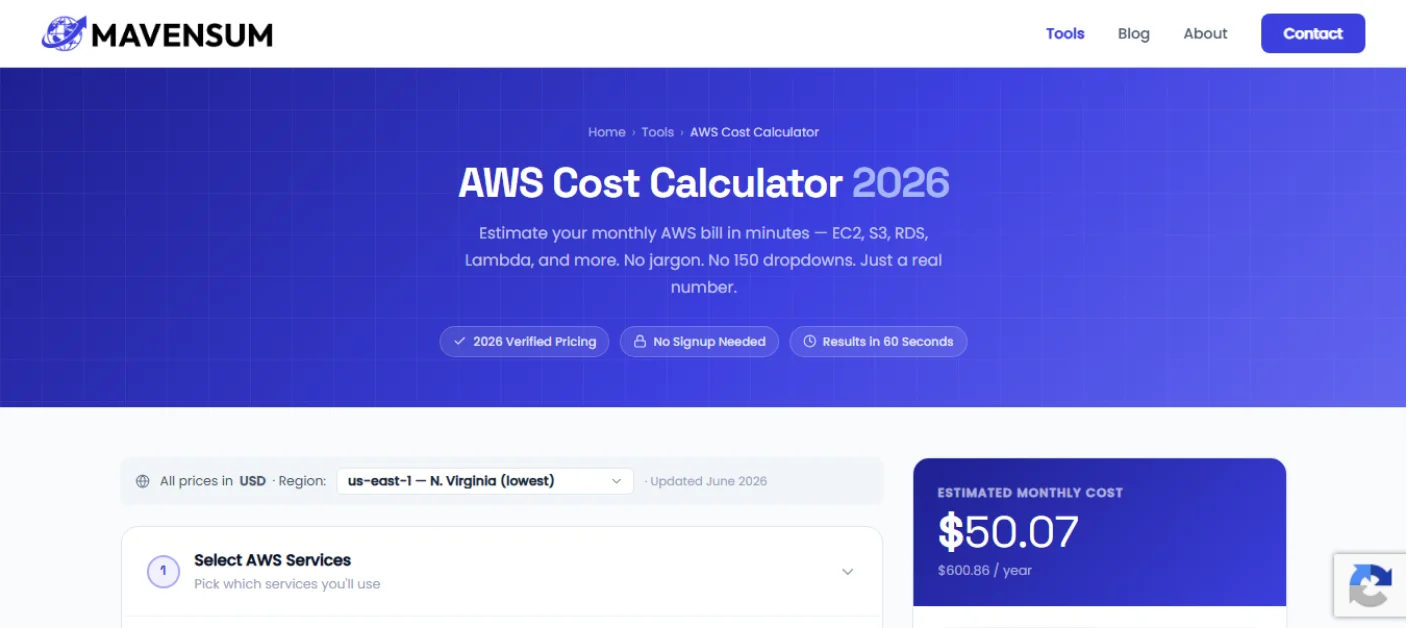
The Mavensum AWS Cost Calculator is designed for people who want a quick estimate without navigating a long list of AWS products and technical settings.
It supports commonly used services, including:
- Amazon EC2
- EBS storage
- Amazon S3
- Amazon RDS
- AWS Lambda
- Internet data transfer
- Amazon CloudFront
- Amazon EKS
- AWS Fargate
Users can configure instance quantities, monthly operating hours, storage, database deployment, serverless requests, data transfer, and container resources. The tool then displays estimated monthly and annual costs. It also provides CSV downloads, shareable estimates, pricing-model comparisons, and cost-saving tips.
Main features
- No account or signup required
- Results designed to be generated quickly
- Monthly and annual cost views
- Multiple common AWS services in one form
- Region selection
- EC2 operating-system selection
- EC2 pricing-model options
- RDS engine and deployment settings
- Lambda request, duration, memory, and architecture settings
- S3 storage-class and request calculations
- CloudFront and internet transfer calculations
- CSV report download
- Shareable estimate link
Why it ranks second
Mavensum does not try to include every AWS product. Its main advantage is simplicity.
A startup founder, student, developer, or small business owner can enter the basic resources for a project without first learning the structure of the entire AWS product catalog. This makes it useful during early planning, when the goal is to understand whether a project may cost approximately $30, $300, or $3,000 per month.
This AWS cloud cost calculator is especially useful for websites, small software products, test environments, startup applications, and common cloud architectures.
Important limitations
The tool does not currently include every possible AWS charge. Costs such as NAT Gateway usage, CloudWatch logs, Route 53 queries, AWS Support, Elastic IP charges, and some cross-Availability Zone transfers may need to be calculated separately.
The calculator itself clearly explains that real bills may differ because of additional services, taxes, support plans, partial usage, and infrastructure-specific charges.
This transparency is important. Simplified calculators should explain what they do not calculate instead of presenting an estimate as a guaranteed bill.
Best for
- AWS beginners
- Startup founders
- Students
- Freelance developers
- Small and medium web applications
- Early budget planning
- Quick monthly estimates
When to choose Mavensum instead of AWS
Choose Mavensum when you need a quick answer based on common services and do not want to configure a large architecture.
Choose the official calculator when you need to model a detailed production environment or include AWS products that are not available in the Mavensum tool.
You can use the free Mavensum AWS Cost Calculator to estimate EC2, S3, RDS, Lambda, CloudFront, and container costs.
Holori Cloud Calculator: Comparing Regions and Providers
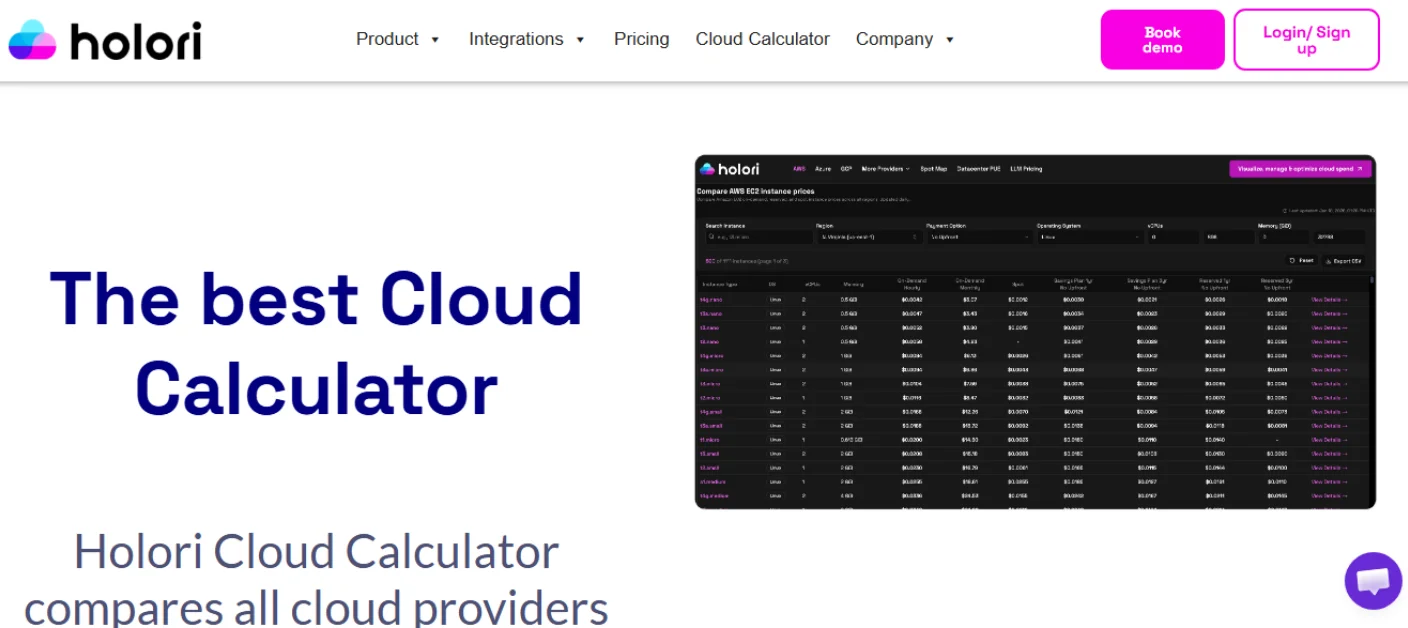
Holori is useful for people who want to compare AWS compute prices across regions, purchasing options, and other cloud providers.
Its calculator includes filters for EC2 instance names, regions, operating systems, processors, virtual CPUs, memory, and payment options. Users can view On-Demand, Spot, Savings Plan, and Reserved Instance pricing information for supported configurations.
Holori can also compare cloud pricing across providers such as AWS, Microsoft Azure, Google Cloud, Oracle Cloud, OVHcloud, Scaleway, and Linode. According to its documentation, its pricing information is updated from official provider sources.
Main features
- No registration required for the public calculator
- AWS EC2 instance comparison
- Region-based price filtering
- On-Demand pricing
- Spot pricing
- Savings Plan pricing
- Reserved Instance pricing
- Operating-system filters
- CPU and memory filters
- Comparison with other cloud providers
- Storage and service-comparison tools
- Basket for combining selected resources
Why it ranks third
Holori is more useful than a basic calculator when the user has not decided which EC2 instance or AWS region to select.
For example, a user may know the required number of CPUs and amount of memory but may not know the best instance family. Holori makes it easier to filter the available choices and compare their hourly or monthly prices.
It is also helpful for businesses considering AWS, Azure, or Google Cloud and looking for a simple cost comparison.
Limitations
Holori is strongest in infrastructure comparison, especially compute pricing. Users building a complete AWS architecture may still need the official calculator to add every supporting service and configuration.
Multi-cloud comparisons should also be treated carefully. Two virtual machines with similar CPU and memory figures may perform differently because of processors, storage, networking, discounts, and service design.
Best for
- Comparing EC2 instances
- Finding lower-cost AWS regions
- Exploring Spot prices
- Comparing AWS with other cloud providers
- Selecting compute resources
Infracost: Terraform and DevOps Teams
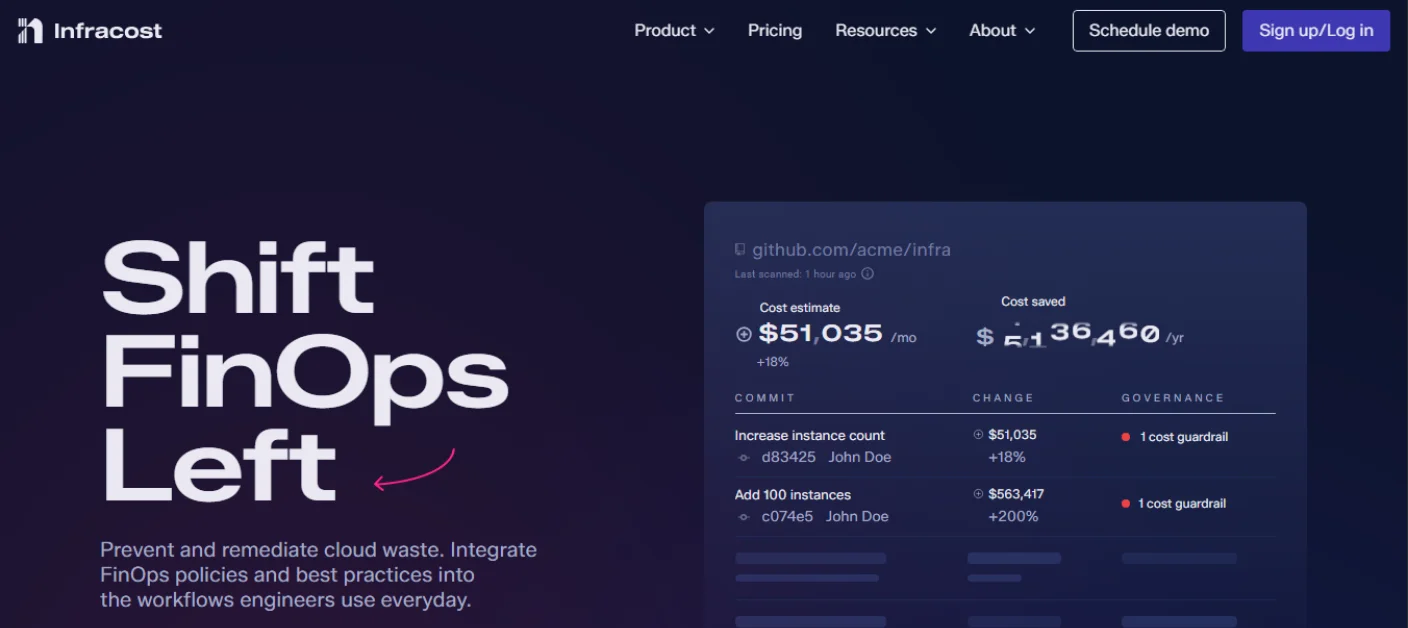
Infracost is different from the browser-based calculators in this list. It is designed to estimate cloud costs from Infrastructure-as-Code.
Instead of manually selecting every service in a web form, technical teams can run Infracost against Terraform, CloudFormation, or supported cloud-development projects. It can display estimated costs before infrastructure changes are deployed.
Infracost can also add cost information to development workflows. For example, it can show the estimated cost difference caused by a proposed infrastructure change during a code review.
Main features
- Terraform cost estimates
- CloudFormation and CDK support in current workflows
- Cost breakdowns by cloud resource
- Cost differences for proposed changes
- Command-line interface
- Editor integrations
- Pull-request comments
- CI/CD integrations
- FinOps policy checks
- Tagging-policy checks
- Support for many billable AWS resources
Infracost supports a broad list of AWS resources, including services related to EC2, S3, RDS, CloudFront, CloudWatch, Route 53, NAT Gateway, DynamoDB, API Gateway, and other infrastructure components. However, support and calculation details can vary by resource.
Why it ranks fourth
For a DevOps team that manages infrastructure through Terraform, Infracost may be more useful than a standard web form.
It gives developers cost information at the point where infrastructure is being created or changed. This can help teams notice an expensive instance, database, or networking choice before it reaches production.
However, it ranks below the simpler tools for this general list because it is not intended for every type of reader. A beginner planning a small website may not use Terraform or a command-line workflow.
Limitations
Infracost requires more technical knowledge than the other options. Estimates depend on the information available in the infrastructure code and any usage details provided by the team.
Certain account-wide benefits, free tiers, negotiated rates, or usage-based charges may not be fully known from a single Terraform project. Infracost states that free tiers are generally ignored because they apply at the account level rather than to one infrastructure project.
Best for
- DevOps teams
- Platform engineers
- Terraform users
- Infrastructure code reviews
- CI/CD cost checks
- Teams applying FinOps policies
Economize AWS Calculator: Basic Savings Plan Estimates
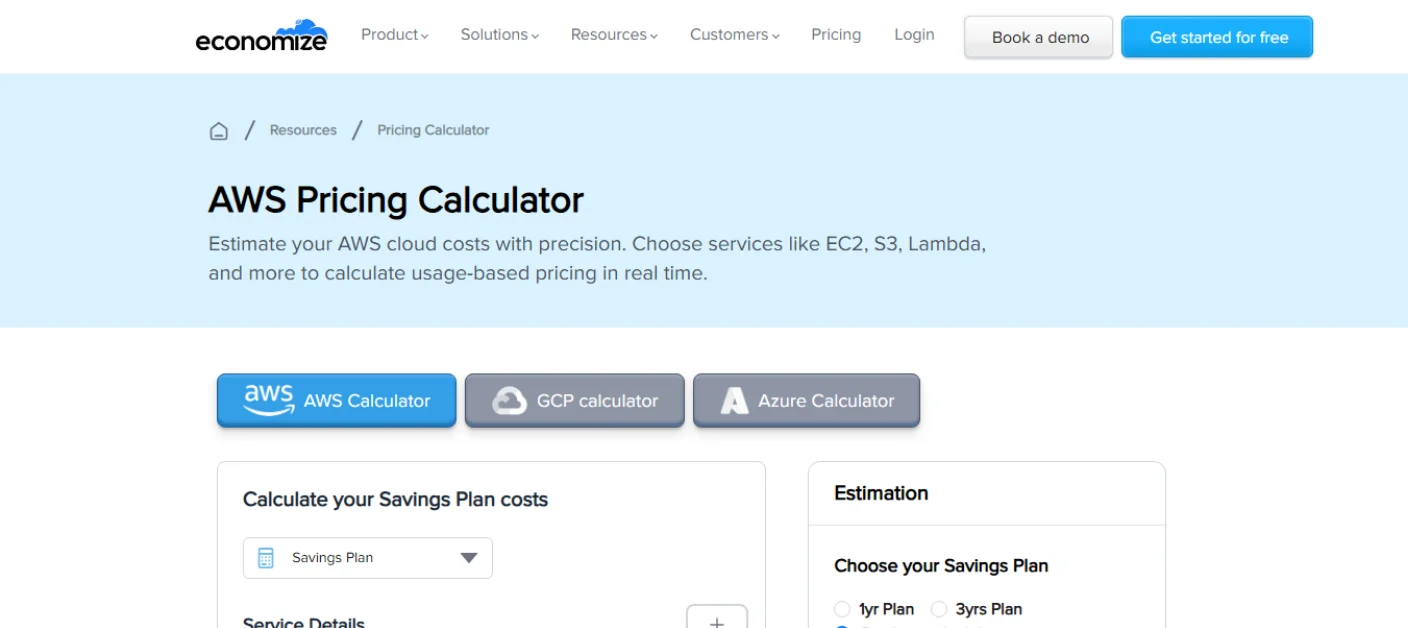
Economize provides a public AWS calculator alongside its wider cloud cost-management platform.
Its calculator allows users to choose AWS services and estimate usage-based pricing. Its public page highlights services such as EC2, S3, and Lambda, as well as a Savings Plan calculation section for comparing On-Demand pricing with one-year and three-year commitments.
Main features
- AWS service estimates
- EC2 pricing inputs
- Region selection
- Quantity and usage settings
- On-Demand cost calculation
- One-year Savings Plan option
- Three-year Savings Plan option
- Calculators for other cloud providers
- Connection to a larger cloud cost-management platform
Why it ranks fifth
Economize can be helpful for users who want a basic AWS estimate and an early comparison of commitment periods.
It may also appeal to teams that want to move from planning into active cloud cost monitoring. The wider Economize platform includes reporting, asset visibility, anomaly detection, recommendations, budgeting, and multi-cloud cost management.
Limitations
The calculator is less suitable than the official AWS tool for creating a complete architecture estimate. Some of the platform’s advanced cost-management features are also intended for organizations that connect their cloud billing data rather than users making a one-time public estimate.
Best for
- Basic commitment comparisons
- Early EC2 estimates
- Teams exploring cloud cost management
- AWS, Azure, and Google Cloud users
AWS Cost Calculator Comparison
| Tool | Main strength | Main weakness | Ideal user |
| AWS Pricing Calculator | Official and comprehensive | Can take longer to configure | Architects and businesses |
| Mavensum | Fast and beginner-friendly | Fewer AWS services | Startups and developers |
| Holori | Region and provider comparisons | Less focused on complete architectures | Buyers comparing compute options |
| Infracost | Estimates from infrastructure code | Requires technical setup | DevOps and Terraform teams |
| Economize | Basic estimates and commitment comparisons | Less detailed than the official tool | Teams exploring cost management |
The right calculator depends on the question you are trying to answer. Use AWS when you need a detailed estimate for a full architecture. Use Mavensum when you need to estimate AWS costs for common services quickly. Use Holori when you are comparing regions or cloud providers. Use Infracost when your infrastructure is defined in code. Use Economize when you want a basic estimate connected to a wider cost-management platform.
Common AWS Costs People Forget to Calculate
Even the best AWS cost calculators depend on the information entered by the user. If you forget a service, the estimate may still be much lower than the final bill.
Here are several costs that are commonly missed.
Data transfer
Data entering AWS is often free for many services, but outbound traffic and transfers between regions or Availability Zones may create charges.
NAT Gateway
A private cloud architecture may use a NAT Gateway for internet access. This can include an hourly charge and a separate charge for processed data.
Monitoring and logs
CloudWatch metrics, log ingestion, log storage, dashboards, and alarms may add costs as an application grows.
DNS services
Route 53 can charge for hosted zones, DNS queries, health checks, and other features.
Storage operations
S3 pricing can include storage, requests, retrieval, lifecycle transitions, and outbound data transfer. The amount of stored data is only one part of the total.
Backups and snapshots
Database backups, EBS snapshots, and long-term retention policies may increase monthly storage costs.
Support plans
AWS Support plans may add a separate charge that is not included in a simple infrastructure estimate.
How to Get a More Accurate AWS Estimate
Follow these steps before depending on a calculator result.
List every service in your architecture
Include compute, databases, storage, networking, monitoring, backups, security, DNS, and support services.
Select the correct region
AWS prices can vary by region. Use the region where you expect to deploy the application.
Estimate normal and peak usage
Do not calculate only the average month. Consider seasonal traffic, marketing campaigns, large downloads, backups, and unexpected usage increases.
Include data transfer
Estimate how much data users will download and whether your services communicate across regions or Availability Zones.
Compare payment models
On-Demand pricing is flexible, but steady workloads may cost less with Savings Plans or Reserved Instances. Spot Instances may reduce compute costs for workloads that can handle interruptions.
Add a safety margin
A planning margin can help cover services or usage that were missed. The size of that margin should depend on how complete and predictable your architecture is.
Review the estimate regularly
Cloud infrastructure changes. Update the estimate when you add services, increase traffic, change regions, or modify your architecture.
Using an AWS cloud cost calculator is not a one-time activity. It should be part of ongoing project planning.
Final Verdict
The official AWS Pricing Calculator is the best overall choice for detailed estimates. It offers the widest service coverage and is suitable for complex cloud environments.
The Mavensum calculator is the best option for users who want a clear and fast estimate for common services. It removes many of the fields that beginners may not need while still covering popular parts of a modern AWS application.
Holori is a strong choice for comparing EC2 prices, regions, and cloud providers. Infracost is the most suitable option for teams using Terraform and automated development workflows. Economize is useful for basic calculations and teams exploring wider cloud cost-management features.
There is no single perfect calculator for every project. In many cases, the best process is to begin with a simple tool, build a basic budget, and then confirm the final architecture using the official AWS calculator.
Frequently Asked Questions
What is the most accurate AWS cost calculator?
The official AWS Pricing Calculator is generally the most suitable option for a detailed estimate because it is provided by AWS and supports a wide range of services and configurations. However, the result is only as accurate as the usage information entered.
Is the AWS Pricing Calculator free?
Yes. AWS describes its pricing calculator as a free planning tool. You can use it to model solutions, review service calculations, plan spending, and create estimates before deploying resources.
Can I calculate my exact future AWS bill?
No calculator can guarantee an exact future bill. Actual charges depend on real usage, region, discounts, taxes, data transfer, support plans, and additional services. A calculator should be used for budgeting rather than as a final invoice.
Which calculator is easiest for AWS beginners?
Mavensum is one of the easiest options for beginners because it focuses on common AWS services and does not require an account. The official AWS tool is more complete but may require more time and technical information.
Can I estimate EC2, S3, and RDS together?
Yes. Both the official AWS tool and Mavensum can calculate multiple services in one estimate. Mavensum allows users to combine EC2, EBS, S3, RDS, Lambda, data transfer, CloudFront, EKS, and Fargate inputs.
Which calculator is best for Terraform?
Infracost is the strongest choice for Terraform-based projects. It can analyze infrastructure code and display estimated costs or cost differences before resources are deployed.
Which tool can compare AWS with Azure or Google Cloud?
Holori supports comparisons across AWS and several other cloud providers. It can help users compare compute pricing, regions, payment options, and equivalent services.
Are AWS free-tier benefits included in every calculator?
No. Free-tier treatment differs between calculators. Some tools include selected free allowances, while others ignore them because eligibility can depend on the account, service, usage period, and AWS program rules.
Why is my AWS bill higher than the calculator estimate?
Your bill may include resources or usage that were not entered, such as NAT Gateway processing, CloudWatch logs, Route 53, snapshots, backup storage, cross-zone transfer, support fees, taxes, or higher-than-expected traffic.
How often should I update my AWS estimate?
Update it whenever your expected usage, architecture, region, instance size, database, storage, or pricing model changes. Active projects should also compare estimates against real billing data regularly.